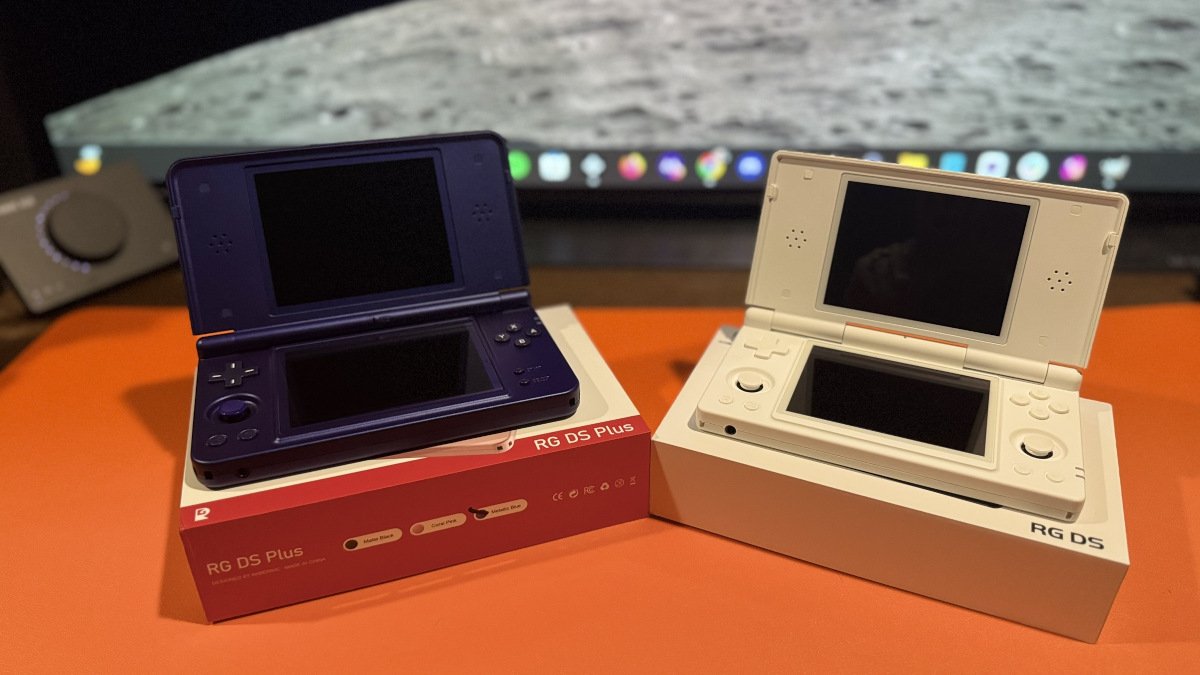
Less than a week ago, I joked that I needed to hurry up and post my article on GammaOS arriving on the RG DS Plus because the updates were coming fast. Here we are, exactly a week later, and TheGammaSqueeze is back with another update.
Let’s get this out of the way early so those who want to nip out now can if they so desire. Like the other updates, 1.4.4 is currently an early release for GammaOS supporters via Patreon and will become publicly available later.
This 1.4.4 release might not blow your doors off, but it does have some newsworthy items to call out for those making the RG DS or DS Plus their everyday driver.
Screen calibration, safer updates, more DraStic-nano fixes, and some attention for the original RG DS are all included.
Perhaps you downloaded every version of My Little Pony and are now embarrassed by your gluttonous ways? TheGammaSqueeze has your back, as you can now hide games from your library without deleting them.
| Screen Calibration | Adjust brightness, contrast, saturation, hue, and RGB levels independently for each display. |
| Hide Games | Hide games from your library without deleting them. |
| Safer Updates | System updates now verify writes and can stop failed updates before leaving the device unbootable. |
| DS Microphone | Fixes for choppy, repeating, or distorted microphone audio in DS games. |
| DraStic-nano | New system settings plus fixes for Hotel Dusk, Pokémon Ranger, and fast-forward behavior. |
| SD Card Support | Improved compatibility with cards that previously failed to boot or produced corrupted reads. |
| RG DS Display | Both screens now run synchronized at exactly 60 Hz. |
| RG DS Audio | Adds the low-latency audio path previously introduced on the RG DS Plus. |
The big callout for this update is the per-screen calibration. You can now independently adjust settings such as brightness, contrast, saturation, hue, and RGB for each display, with a live preview. The adjustment occurs at the display-controller level, so your changes will carry over to DraStic-nano. This should be particularly useful since we know two panels can look slightly different.
In all this drama going on in the clamshell wars, do you still remember the RG DS? This device received some overdue love as well. With this update, its two displays now run synchronized at exactly 60 Hz. Previously, they ran at around 59.85 Hz, which could result in a dropped DS frame every six or seven seconds. The screens were also about a frame apart, which could cause tearing when an image spanned both displays.
If you’re one of those types to grab an update as soon as it releases, well, you might have had some audio issues. The original October 3 images have since been rebuilt to address an issue where audio could disappear after closing the lid while a game was running.
What animal does this?
Audiophiles, be warned: make sure you grab the updated release prior to installing.
| Step 1: Are You Installing or Updating? | |
|---|---|
| New RG DS Plus | If your RG DS Plus is still running the stock Anbernic firmware, you’ll need to perform a fresh installation of GammaOS Nano. Continue to Step 2. |
| RG DS Plus – GammaOS 1.4.2 or 1.4.3 | If you’re already running GammaOS Nano 1.4.2 or 1.4.3, you can update directly over the internet. Skip to Step 3. |
| RG DS – GammaOS 1.4.1 | If you’re running GammaOS Nano 1.4.1 on the original RG DS, use the update-card method. Skip to Step 4. |
| Step 2: Fresh Install – RG DS Plus | |
| Download | Download both parts of the appropriate RG DS Plus GammaOS Nano 1.4.4 Core archive from the official GitHub Releases page . |
| Extract | Place both archive parts in the same folder and extract the .7z.001 file. This will create the GammaOS firmware image. |
| Prepare microSD Card | Use Rockchip SD Tool 1.3.0 or newer to write the GammaOS firmware image to a microSD card as a firmware update card. |
| Install | Power off the RG DS Plus, insert the prepared microSD card, and power the device on to begin the installation. |
| Important | A fresh installation will wipe the device. Back up anything you want to keep before installing GammaOS Nano. |
| Step 3: Update RG DS Plus Over the Internet | |
| Open Quick Menu | Open the GammaOS Quick Menu and select Settings → System Update → Update via Internet. |
| Install Update | Follow the on-screen instructions to download and install GammaOS Nano 1.4.4. |
| Your Data | Your games, saves, and settings are retained when updating from an existing GammaOS Nano installation. |
| Step 4: Update the Original RG DS | |
| Download | Download the appropriate RG DS GammaOS Nano 1.4.4 files from the official GitHub Releases page . |
| Create Update Card | Use Rockchip SD Tool 1.3.0 or newer to create a firmware update card. The built-in updater from GammaOS Nano 1.4.1 should not be used for this update. |
| Install | With the RG DS powered off, insert the update card and power on the device to begin the update. |
| Important Installation Notes | |
| SD Card Tool | Use the Rockchip SD Tool when creating a GammaOS installation or update card. Do not use Rufus, balenaEtcher, Win32DiskImager, Raspberry Pi Imager, or dd. |
| Full Instructions | Before performing a fresh installation or if you encounter problems, read the official GammaOS Next Installation Guide. |
| GammaOS Next – GitHub | Official GammaOS Next project page |
| GammaOS Next – Releases | Official releases and release notes |
| GammaOS Next – Installation Guide | Official installation and update instructions |