At this very moment, I’m sitting by a muddy creek, catching my breath during a lull in the action. I now know this is the time to send word, even if writing this story about the great Clamshell Wars of 2026 puts me in harm’s way. Historians will write about these double-hinged battles for years to come, but I’m afraid I only have a few minutes to spare to bring you tales from Version 1.6 of ROCKNIXDS, which is out now for the RG DS Plus.
The ROCKNIXDS developer is calling this the final major ROCKNIXDS update. The original RG DS is getting its own 1.6 release later.
For those wondering, ROCKNIXDS is a custom Linux-based experience designed specifically for Anbernic’s dual-screen RG DS handhelds, rather than shoehorning standard ROCKNIX onto the device. It features a DSi-inspired interface, while DraStic handles Nintendo DS emulation across both displays.
The main feature of this release is 3× internal resolution for DS games via the Gengis Engine. Now, don’t go crazy on us and think that the RG DS Plus screens suddenly have a higher resolution. Instead, games are rendered internally at 3× and then scaled down, which helps make the 3D graphics appear cleaner and reduces those jagged edges.
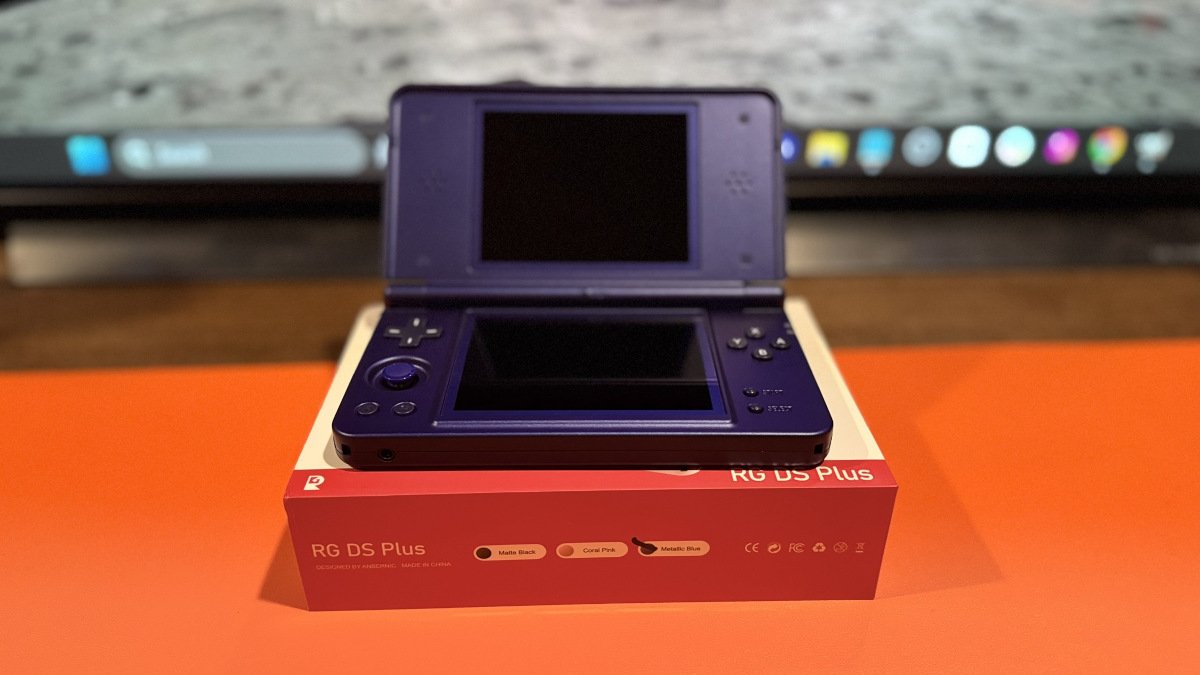
Other features include ROCKNIXDS Bank & Trade. This is a separate Pokémon-focused utility. It can store Pokémon, check legality, move Pokémon between supported generations, and even allow trading between two handhelds over Wi-Fi. For those who need to catch ’em all, this is a separate install. I swear I didn’t intend for that to… ah well, I’ll keep moving along. Even I’m embarrassed.
Everyone likes free games, yes, right? Well, you can sink your teeth into Döda Kvarter, an original dual-screen zombie roguelike made just for ROCKNIXDS. This is included with the 1.6 update and will appear right on the home screen.
Other notable call-outs include fixes for DraStic games freezing at startup, better recovery when a game becomes unresponsive, a much faster return to the frontend after quitting a game, and improvements to the in-game menu. Pixel, the DSi-style frontend, also received interface and artwork improvements.
If you’re already running ROCKNIXDS 1.5, you can update by connecting to Wi-Fi, then do the thing: Updates & downloads → ROCKNIXDS. New users, however, will need to flash the RG DS Plus image to a microSD card and let the system complete its setup on first boot.
In summary, or is it a conclusion? ROCKNIXDS started out as a project to make the RG DS feel more like a dual-screen gaming system should feel, and with 1.6, it looks like the developer has fulfilled that promise.
So excuse me while there is a lull in the battlefield that has become a graveyard of plastic and shattered glass. I, too, need to update my RG DS Plus, as this update isn’t just about emulators. I’m going to try out these DS games and see if my old eyes can tell the difference, probably pass on the Pokémon install, try out the zombie roguelike, and take advantage of all these improvements.
| Updating from ROCKNIXDS 1.5 | |
|---|---|
| Step 1 | Connect your RG DS Plus to Wi-Fi. |
| Step 2 | Open Updates & downloads from the ROCKNIXDS menu. |
| Step 3 | Select ROCKNIXDS and install the available update. |
| Installing on a New microSD Card | |
| Step 1 | Download the ROCKNIXDS 1.6 image for the Anbernic RG DS Plus from the official GitHub release page. |
| Step 2 | Insert a microSD card into your computer. Back up anything you need from the card before continuing, as flashing the image will erase its contents. |
| Step 3 | Use a compatible imaging application to write the downloaded ROCKNIXDS image to the microSD card. |
| Step 4 | When flashing is complete, safely remove the microSD card and insert it into the powered-off RG DS Plus. |
| Step 5 | Power on the handheld and allow the first-start installation to complete. The initial startup will take longer than a normal boot. |
| 3× Internal Resolution | Gengis Engine can now render Nintendo DS games at 3× internal resolution before scaling the image down to the handheld’s 2× display. This can provide smoother edges in 3D games. |
| ROCKNIXDS Bank & Trade | A separate Pokémon utility for storing Pokémon, checking legality, moving them between supported generations, and trading between two handhelds over Wi-Fi. |
| Döda Kvarter | A new dual-screen zombie roguelike created specifically for ROCKNIXDS. It is included with the 1.6 update and appears directly on the home screen. |
| Improved Game Stability | Fixes a DraStic startup issue that could cause games to freeze. ROCKNIXDS can also detect an unresponsive game and provide a way to exit without restarting the handheld. |
| Faster Return to Menu | Quitting a DS game no longer restarts EmulationStation. The ROCKNIXDS menu remains running and returns in about a second after exiting a game. |
| Improved In-Game Menu | The ROCKNIXDS in-game menu provides access to save and load slots, volume, brightness, microphone controls, DraStic settings, and quitting the current game. |
| Menu Improvements | ROCKNIXDS Pixel receives improved artwork handling, interface fixes, updated pop-ups, and clearer information when games or artwork are missing. |
| ROCKNIXDS GitHub | Official ROCKNIXDS project page, documentation, and installation information. |
| ROCKNIXDS 1.6 Release | Official release notes and download for ROCKNIXDS 1.6 on the Anbernic RG DS Plus. |
| ROCKNIXDS | Featured image via ROCKNIXDS. |