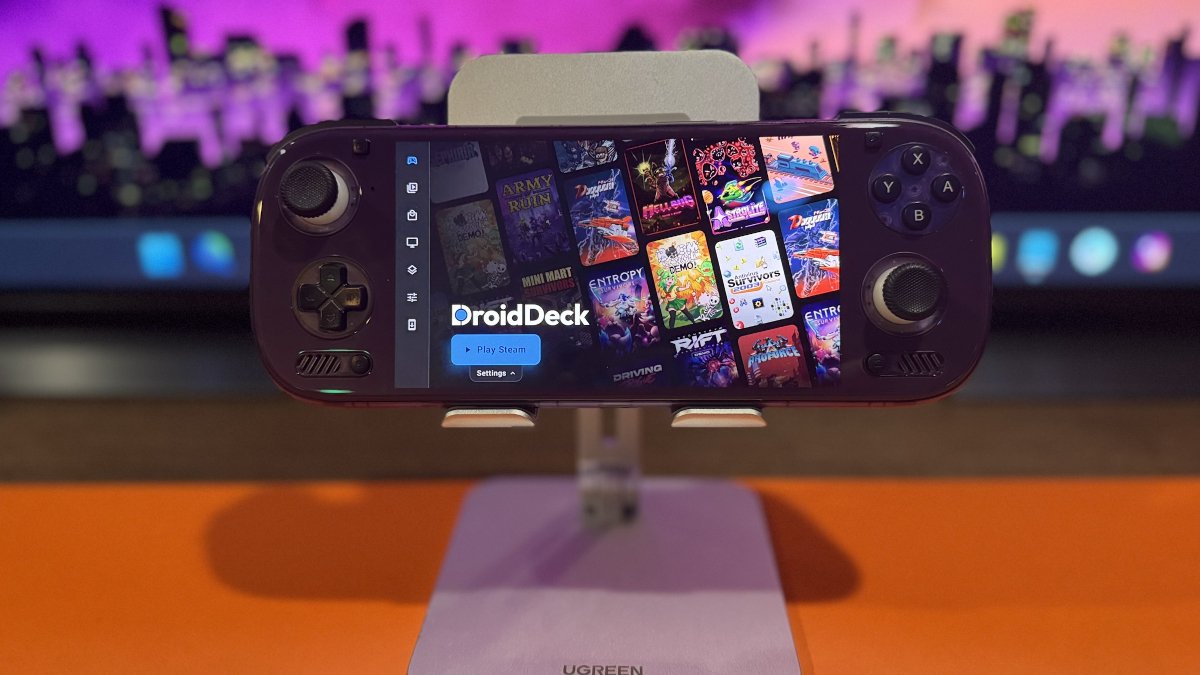
AYN Odin 3 Max
How far can Android handheld gaming go? With flagship hardware and an expanding collection of emulators, the AYN Odin 3 Max offers an opportunity to find out. But is it worth your time?
If you’re an avid listener of podcasts such as Expedition: Handheld and The Nerd Nest, then you’ve probably heard Russ from Retro Game Corps sing the praises of the Odin 3. Now, I have a considerable backlog of devices to get through, and I will get to them, that’s a promise. But after hearing how good the Odin 3 is, I knew I had to try it out myself.
After some AliExpress/AYN shenanigans, my purple Odin 3 Max arrived a few months after I ordered it. For those who don’t want to get burned by similar shenanigans, read up on how to extend your shipping time when ordering from AliExpress. This snafu cost me around an extra $100. To be transparent, I won’t let that sway my review.
For the last month… OK, it’s been more than a month. One of the benefits of having no corpo overlords is that I can take my sweet candy-ass time with these reviews. In truth, I’ve just really been enjoying the device and tinkering with it. Besides, emulation is on fire right now with all the updates.
From PS2 and Xbox to Xbox 360, PS3, PS Vita, Switch, and PC gaming, I’ve been putting in the work for those emulation gains.
My impressions of the Odin 3 Max are below.
If you were a sane person looking to own less than a handful of handheld devices, imagine the horror, truly nightmare fuel, you’d probably land on something like a Switch 2, a Steam Deck, maybe one of those fancy new Arc G3 Extreme-powered handhelds, and then a flagship retro handheld like the AYN Odin 3. Of course, in the Max variety.
Was that the world’s longest run-on sentence? Probably. But you’ve got to start these reviews somewhere, somehow.
If you’ve spent even a few minutes of your day around here, you know sanity isn’t exactly in abundance. In fact, because I have to straddle the line between being responsible and sane Monday through Friday, I let my hair down a little over here and flaunt my stupid spending ways. Mostly, I just ramble on to myself and hope I catch a few looks from strangers passing by.
So yeah, boys and girls, strap yourselves in. I swear I was just about to type “grab your favorite snack and drink,” but then realized my pockets aren’t deep enough to settle that lawsuit. So you do you. Kick back, relax, grab your favorite non-drowsy beverage, and let me tell you about how much I’ve been testing, tinkering, compiling notes, and generally mulling over my thoughts about the Odin 3.
Before I purchased it, I had a blueprint for how I envisioned myself using the Odin 3. This wasn’t going to be a catch-all device like I’ve been doing with the Retroid Pocket Nova and, to some extent, the AYN Thor. Primarily, thanks to apps like GameNative and DroidDeck, I wanted the Odin 3 to be my PC indie handheld, where I could also take advantage of the Snapdragon 8 Elite processor to emulate systems such as PS3, PS Vita, Xbox 360, and Switch. Like a fat kid in a candy store, I also sprinkled in PS2 and the OG Xbox. Old habits die hard.
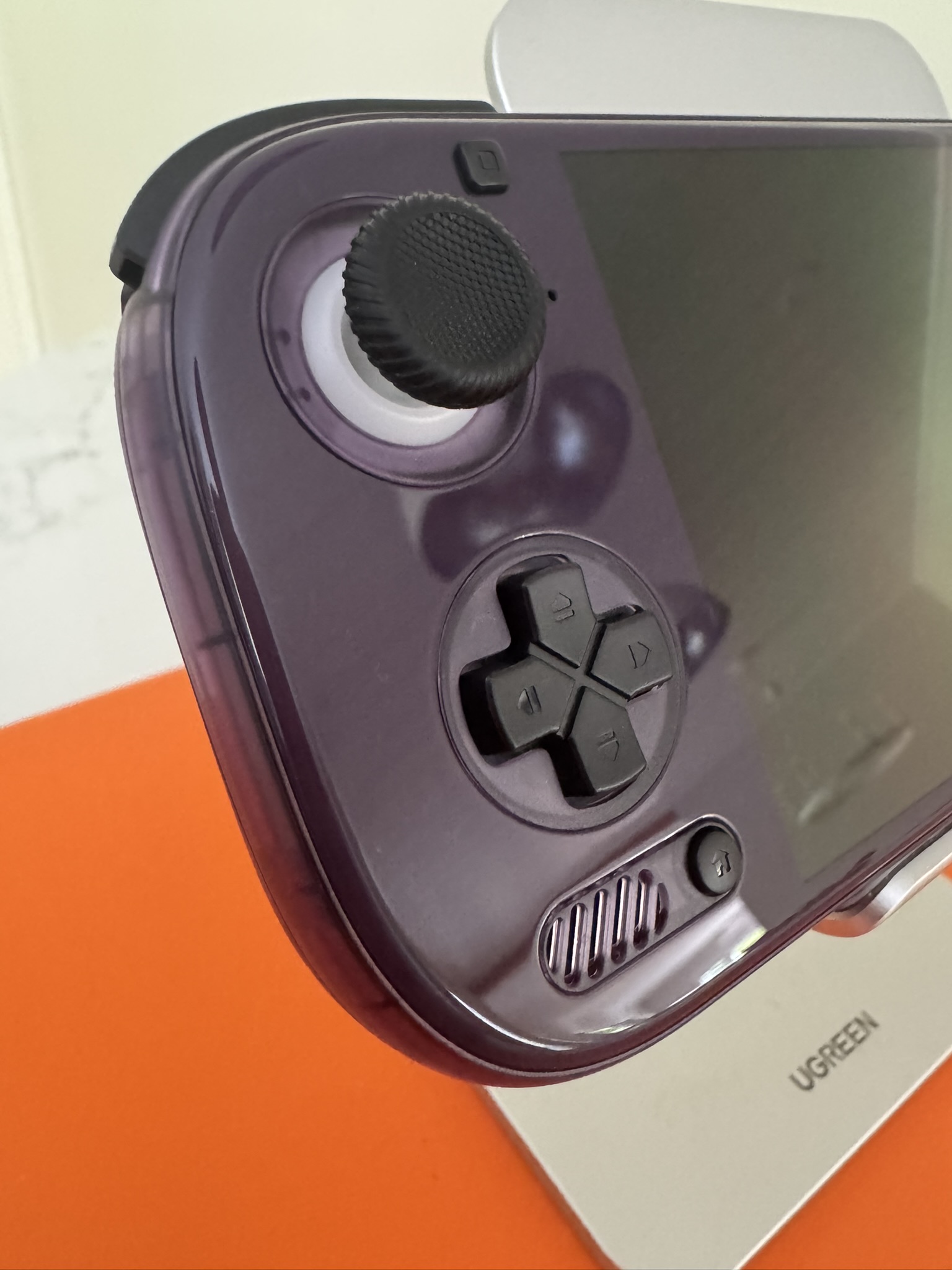
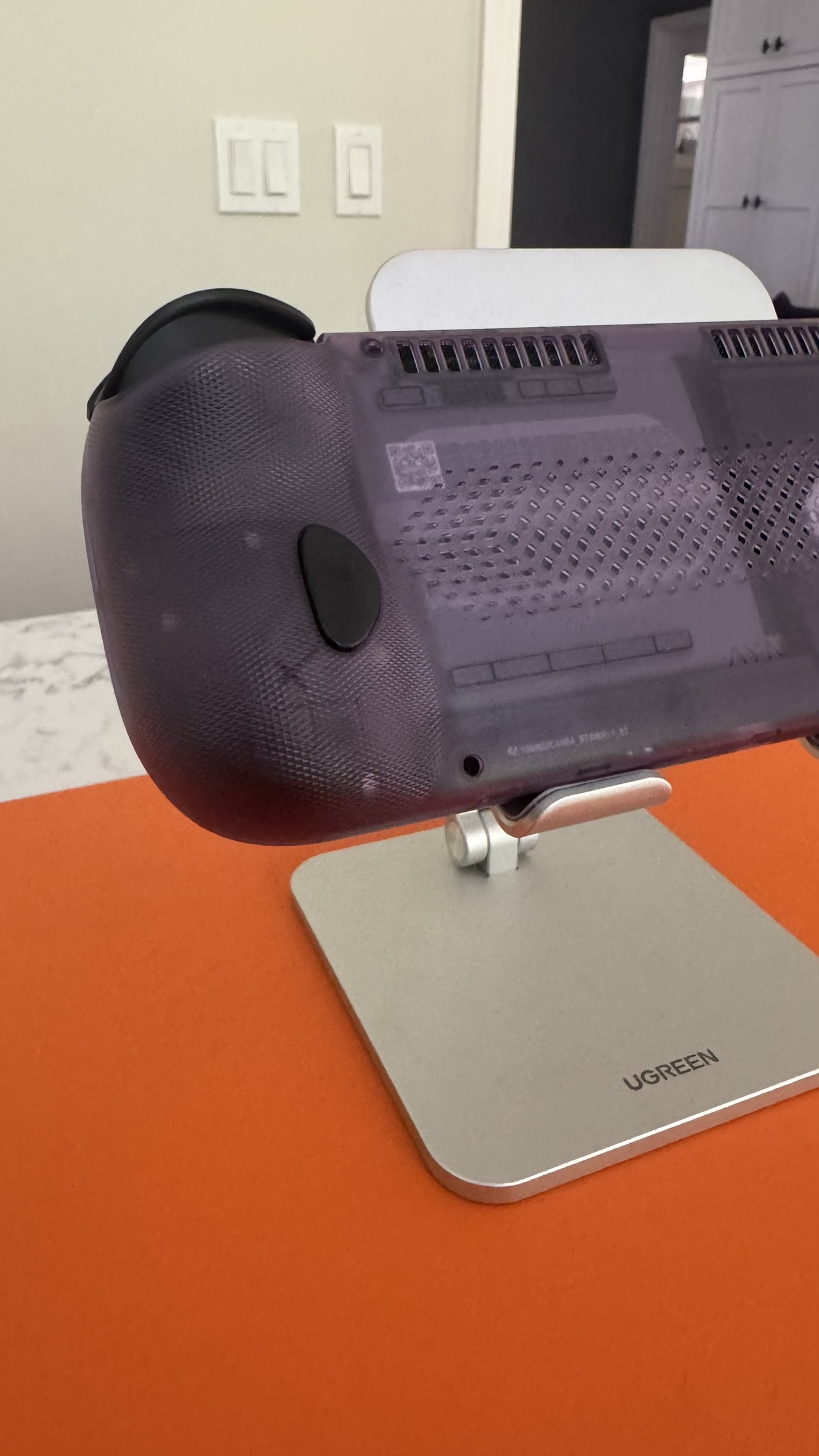
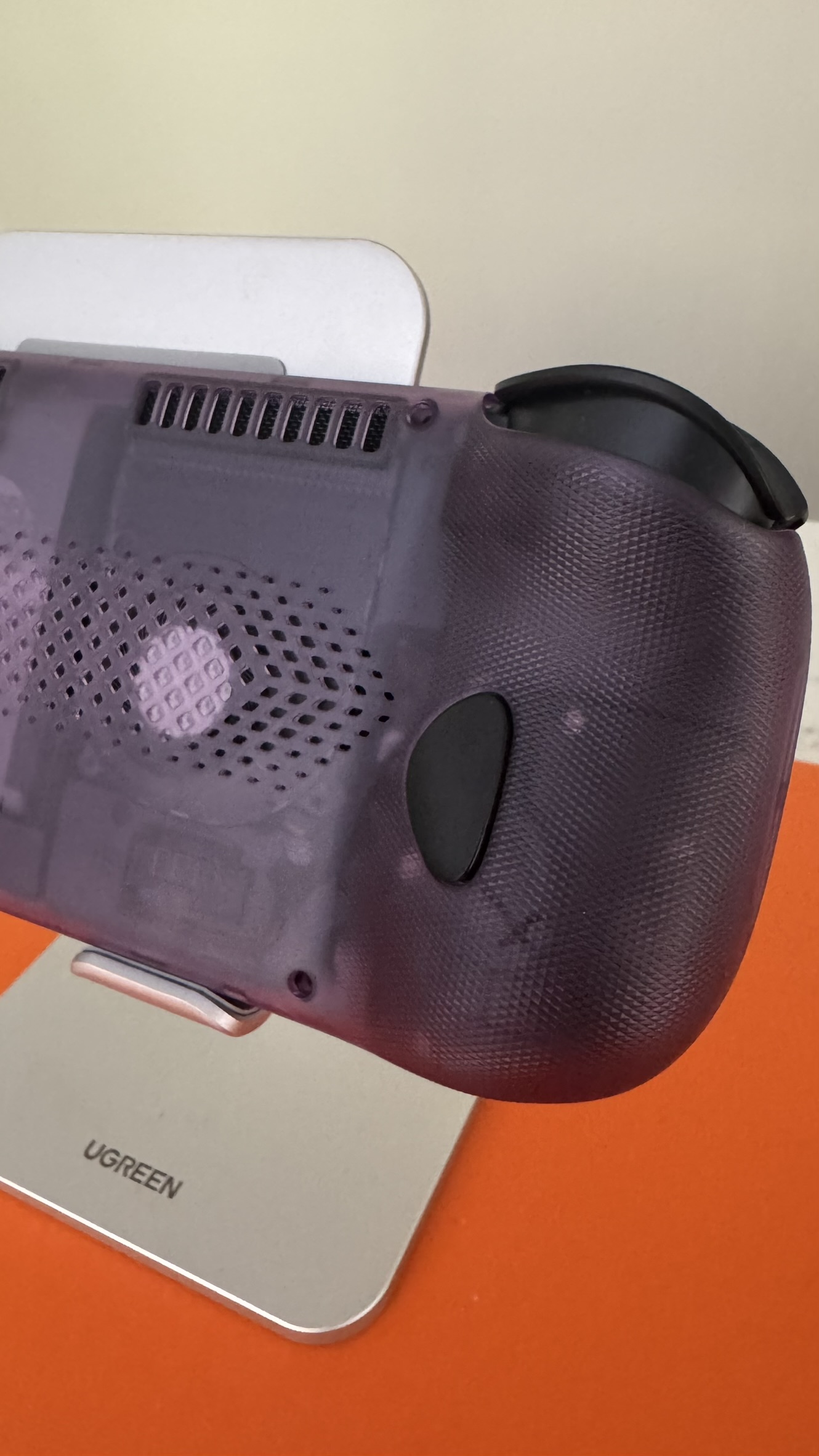
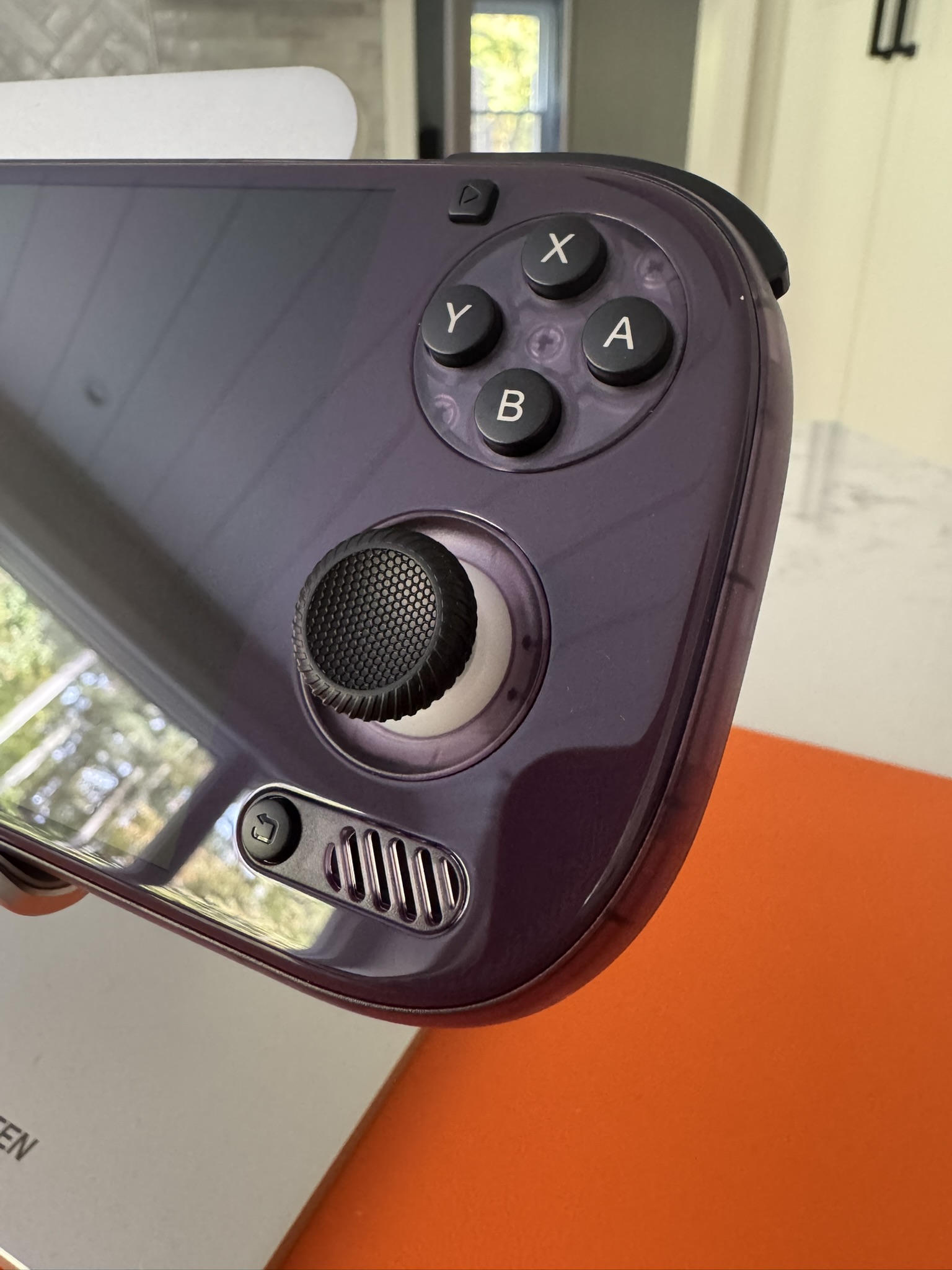
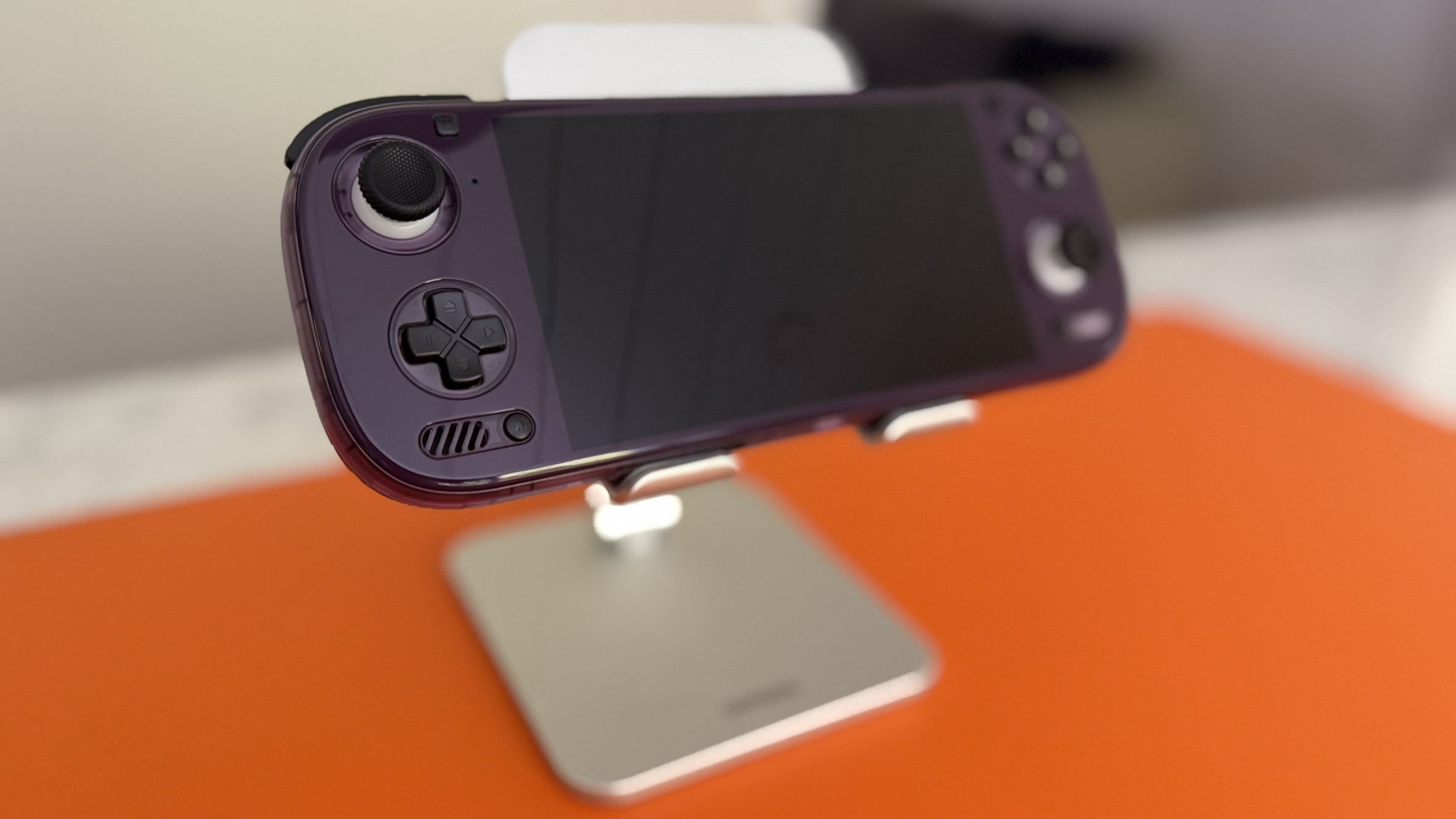
For the better part of the month, I’ve been glued to my Odin 3. If I’m being honest with myself, the biggest reason I’m so late with my second review is that I’ve just been enjoying the hell out of this device. From a comfort perspective, I could play this thing all day long. It’s a great candy-bar-shaped handheld that fits my average-sized hands like a glove. The offset thumbstick layout is my preferred configuration on a handheld, and the textured back provides enough grip that I never feel like it’s going to slip out of my hands. At 390g, the weight feels just right, without causing any arm fatigue. Most importantly, the face buttons, triggers, and thumbsticks all feel premium. It’s a significant upgrade across the board compared to the Retroid Pocket Nova and a natural step up from something like the Retroid Pocket 6.
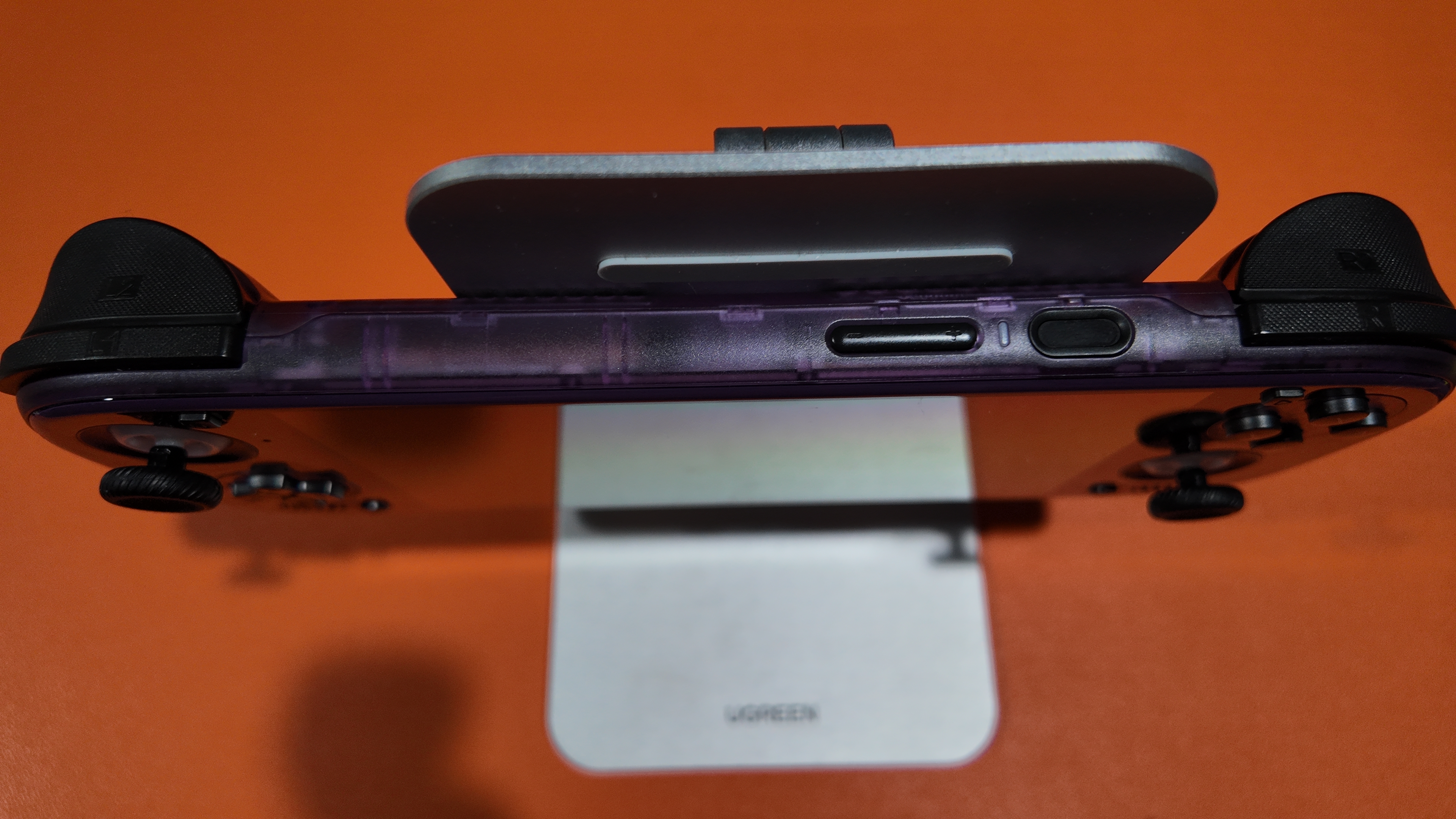
I guess I don’t go around introducing myself as an OLED guy. That would be weird. But now that I think about it, my PC monitor is OLED, my console TV is OLED, and my Steam Deck is OLED. Are you sensing a trend? The handhelds I’ve been playing lately, like the Retroid Pocket 6, Pocket Nova, and now the Odin 3, are, you guessed it, OLED devices.
The Odin 3 features a 6-inch AMOLED touchscreen (16:9, 1920 × 1080) with a refresh rate of up to 120Hz. In other words, it’s a beautiful screen, and using the Android brightness slider, you can do a decent job of making it as dim or bright as you like. I’ve been hovering around 75% brightness with the refresh rate set to 120Hz, and I’ve been very pleased.
A little inside baseball for you: using a camera to record another screen, like I do in my videos, can sometimes introduce some unwanted visual artifacts. I’ve found that dropping the Odin 3 down to 60Hz and around 50% brightness gives me much better results.
This has less to do with the device and more to do with my age, but on a 6-inch screen, reading text can be a challenge or downright difficult. Since the Odin 3 is primarily being used as my indie PC handheld, UI optimization and text readability can sometimes be lacking. To be fair, many of these games weren’t designed with a 6-inch screen in mind, and smaller development teams don’t always have the resources to account for every possible device. For comparison purposes, I tend to play the same game on both the Steam Deck and the Odin 3, especially if cloud saves are enabled. The Steam Deck has a 7.4-inch screen, and that extra screen real estate can make all the difference.
Transitioning to software for a moment, my plan from the beginning was to avoid following some elaborate setup guide like I’ve done with past devices. I wanted to keep things simple and put the focus on playing games rather than emulating everything under the sun. Of course, you need a foundation to build on, and the Odin 3 runs Android 15. While this version of Android is a couple of years old, it introduced improvements to CPU, GPU, and thermal management, along with additional performance optimizations and support for modern graphics technologies. How much of that translates into a better gaming experience depends on the hardware and the applications you’re running.
I’ve been all about the indie scene of late, and no, I’m not talking about the shoegazing variety, but the shmups, bullet heavens, bullet hells, beat ’em ups, and other assorted roguelites. Therefore, it was a given that GameNative was going to be one of the first apps I installed. Up to this point, when using capable devices, I was a GameNative guy through and through. However, DroidDeck arrived on the scene right around the time I started this website, so in many ways, I feel a stronger connection to it. I’ve covered its development at length and genuinely believe that, for the games I’ve been playing, it’s delivering a great experience.
Games like Brotato: Primal Dread, Beatdown City Survivors, SULFUR, and Geometry Wars: Retro Evolved have been running beautifully, with frame rates hovering around 120 FPS. Blood Dungeon has been another favorite, running at a steady 60 FPS. What has impressed me just as much is how quickly DroidDeck is improving. Games like Queen’s Domain, Driving Rogue, and Oddbat initially refused to launch, but after the 0.7.1 update, all three were up and running without issue. For an app that’s only been around since September, I’ve been using it daily. While there have certainly been some ups and downs, the positives have far outweighed the negatives. Other games like Erlik, Deadly Days: Roadtrip, and Cataclyzm have only reinforced why I bought the Odin 3 in the first place, which was to discover new games, enjoy them on a new handheld, and have a front-row seat as projects like DroidDeck work toward bringing a SteamOS-like experience to Android.
Nostalgia is a helluva thing. Someone wiser than me once said that you can’t put your arms around a memory, but you can certainly push the thermal limits of your handheld trying to dispel that theory. I’ve been using some of the newest emulators, such as ARMSX2 and ARMSX3, to play PS2 and PS3 games, respectively. I’ve also tried to recapture those early Xbox memories through HakuX, while revisiting what I consider to be one of the greatest eras in gaming, the Xbox 360 days. We didn’t know how good we had it, did we?
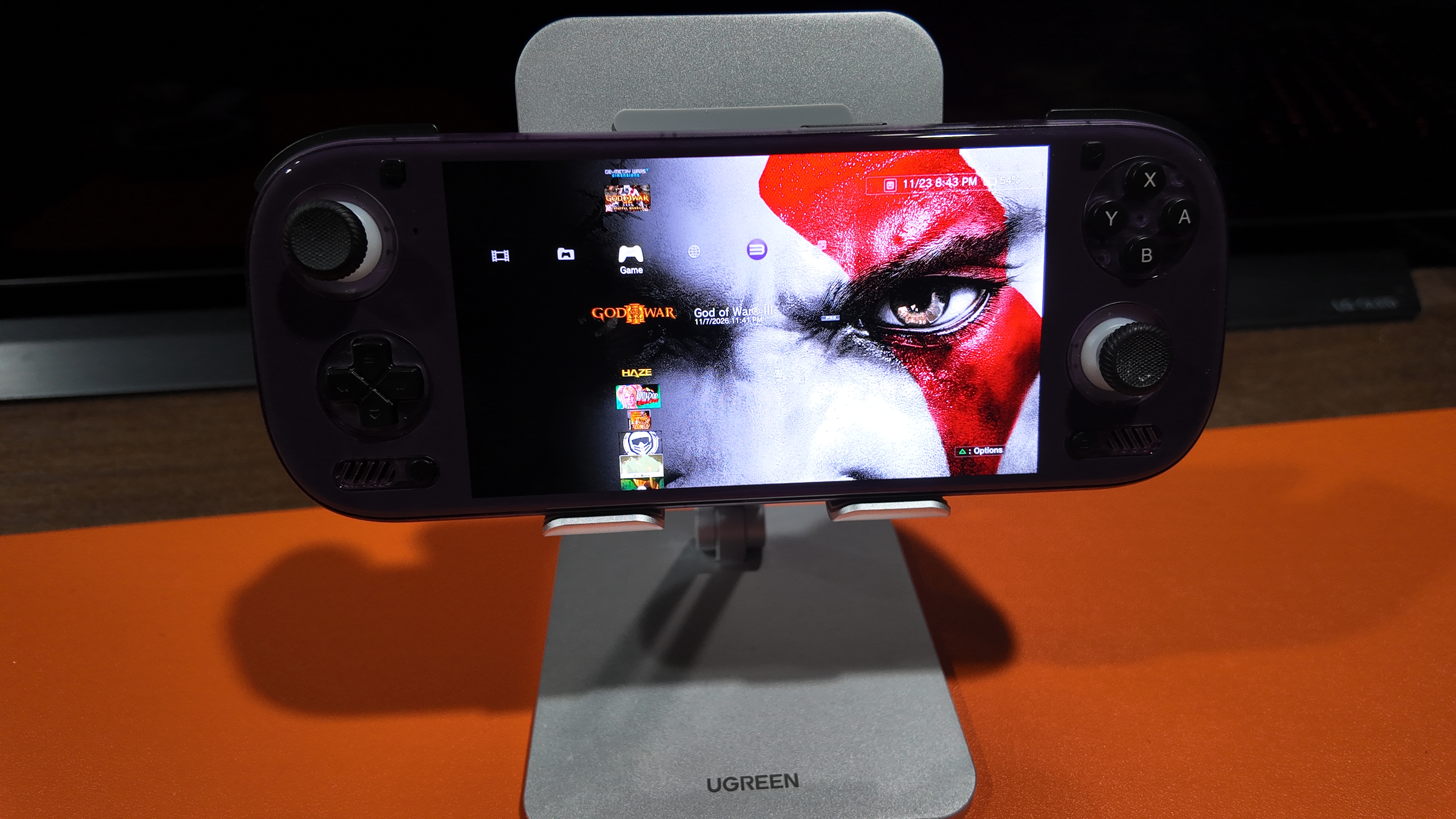
I’ve had a blast revisiting games like Project Gotham Racing, Burnout Revenge, and Midnight Club 3: DUB Edition through HakuX, with all three running remarkably well. On the Xbox 360 side, Blur has been a standout, running at a steady 60 FPS and reminding me just how much fun that game was. PS3 emulation has been a bit more of a mixed bag, but that’s part of the fun. PixelJunk Shooter, Scott Pilgrim vs. The World, and Metal Slug X have all been running beautifully, while games like God of War III and Ratchet & Clank Future: Tools of Destruction have really put the Odin 3 through its paces. One of my favorite PS3 indie games that doesn’t get talked about nearly enough is TerRover. This one had me keeping a close eye on the temperatures as I pushed the device beyond what might normally be recommended, all in the name of testing its limits. Not everything runs perfectly, and some games require a little patience and tinkering, but there’s something pretty incredible about revisiting these games on a device that fits in your hands. Once again, I have to ask Sony: why can I get these PS3 games running on the Odin 3, but we still can’t play them natively on the PS5? Okay, it felt good to get that off my chest. Again.
The PS Vita gets a bad reputation, mostly because Sony abandoned the device, as they seem to do with so many of their ideas. But there’s a great catalog of games worth playing. I’ve been enjoying Super Stardust Delta so much that I’ve sort of forgiven myself for selling my Vita a few years ago. For some reason, emulating Vita games has been a challenge over the years, but Vita3K is making great strides on Android, too. I’ve had much better luck getting games to run on the Odin 3 than on other devices I’ve tested. Maybe I’ll finally finish Uncharted: Golden Abyss and Assassin’s Creed III: Liberation. It’s also been fun firing up other indie gems like Joe Danger, Nuclear Throne, and King Oddball. I’m still pretty lousy at MotorStorm RC, but the game is performing better with each update.
I’ve also spent some time trying out some of my recent favorites on Switch. With well over 10,000 games released for the original Switch, there’s certainly no shortage of titles to revisit. Like several of the emulators mentioned above, Eden allows you to use custom GPU drivers. I’ve found that Mr. Purple T30 has been my go-to driver, but with the emulation scene evolving so quickly, developers are finding ways to make things a little easier for the rest of us. Eden can recommend a GPU driver based on your hardware, while ARMSX2 offers Automatic Performance Tuning. The benefits of using the right GPU driver can’t be overstated, as it can make the difference between a game running properly and being met with a healthy dose of disappointment.
When I think back to my experiences with other devices, I’ve always wanted to use a frontend like ES-DE to wrap everything up in a nice, console-like bow. This time around, I was committed to not installing ES-DE, mostly because I didn’t want to go down the rabbit hole of scraping box art and downloading themes. With 512GB of internal storage, storage space is at a premium. However, I have tested out some lesser-known frontends like Slot and Socket, mainly because I got caught up in the excitement of reporting on them and wanted to see those cute cartridge and disc animations for myself. I’ve had some success with both, but I can’t see myself using either one long-term. I also installed Cocoon, which just might be the slickest frontend out there. It has a very Nintendo-esque feel to it, with a charming, responsive interface that brings your game collection together in a setting where you almost want to hang out rather than actually play anything. And that gets to the heart of why I didn’t want to install a frontend in the first place. This device is about playing games, not gawking at my ROM collection.
If I think back to my review of the Retroid Pocket Nova, it was about finding new ways to play old games. The same can be said for the Odin 3, too, if that’s your preference. This can absolutely be the one device you own, capable of playing everything from the retro games you grew up with to PC games like I’ve mentioned throughout this review. Of course, it’ll be up to you whether you want to play 4:3 content on a 16:9 screen. Personally, I’ve preferred to keep my 4:3 gaming on the Nova.
At the current price of $529, this is not a cheap device. Like everything in this hellscape, the price has increased over time, but if you’re in the market for one device to rule them all, you can’t go wrong with the Odin 3 Max. With the Odin 3 Ultra discontinued, the Max, with its 16GB of RAM and 512GB of internal storage, is now the highest-end model available. I’ve thrown a bunch of games, apps, and systems at this thing, and for the most part, it’s handled them remarkably well. Of course, battery life will depend on what you’re playing, how hard you’re pushing the hardware, and which performance mode you’re using. If you’re like me and tend to find a comfortable middle ground between performance and battery life, I think you’ll be very happy with the Odin 3.
Depending on your budget, this device can appeal to a wide audience. It has enough processing power for those who really want to get under the hood and tinker. I haven’t had time yet to install Armada OS, the SteamOS-like Linux operating system for ARM64 handhelds that runs on the AYN Odin 3, but I’ve spent many a day digging through various emulator settings menus trying to get things just right. For those who aren’t willing to spend between $789 and $949 on a Steam Deck and don’t mind a smaller screen, the Odin 3 could be an appealing alternative for PC gaming through DroidDeck or GameNative. Either way, from comfort to performance to reliability, this is one handheld I’ll be playing again for quite some time to come.
- Easy to use for experienced Android users
- Perfect candy-bar shape that feels great in the hand
- Gorgeous AMOLED screen
- Enough processing power to push the limits of emulation
- The purple variant looks fantastic
- It’s not cheap to be on the bleeding edge
- The all-glass front is a fingerprint magnet
- Pushing the device to its limits drains the battery quickly
- The 6-inch screen can be small for us old heads. Bring your magnifying glass!
- The white thumbstick bases ruin what could’ve been an all-black setup
Nostalgia is a helluva thing. Someone wiser than me once said that you can’t put your arms around a memory, but you can certainly push the thermal limits of your handheld trying to dispel that theory.
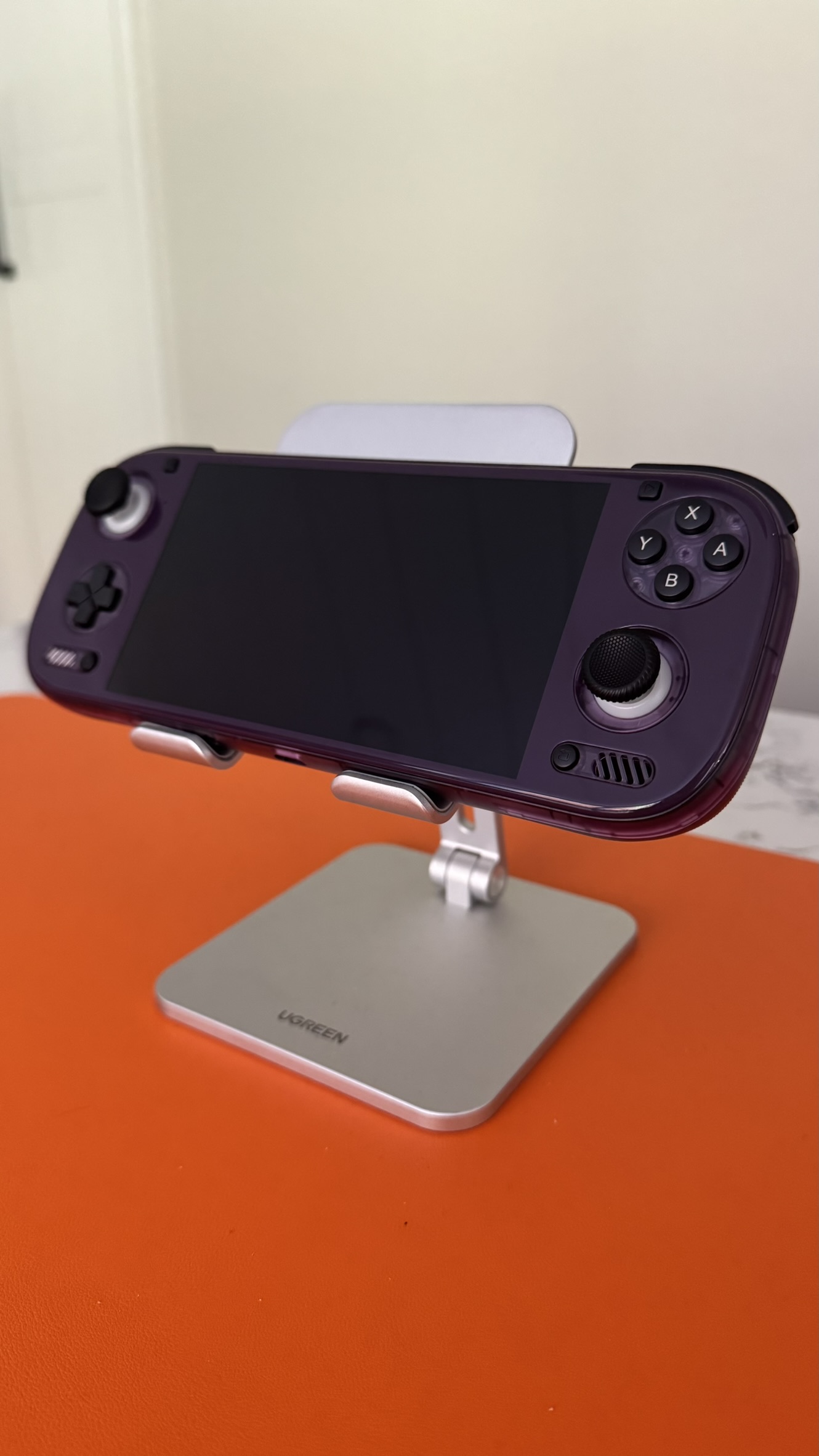
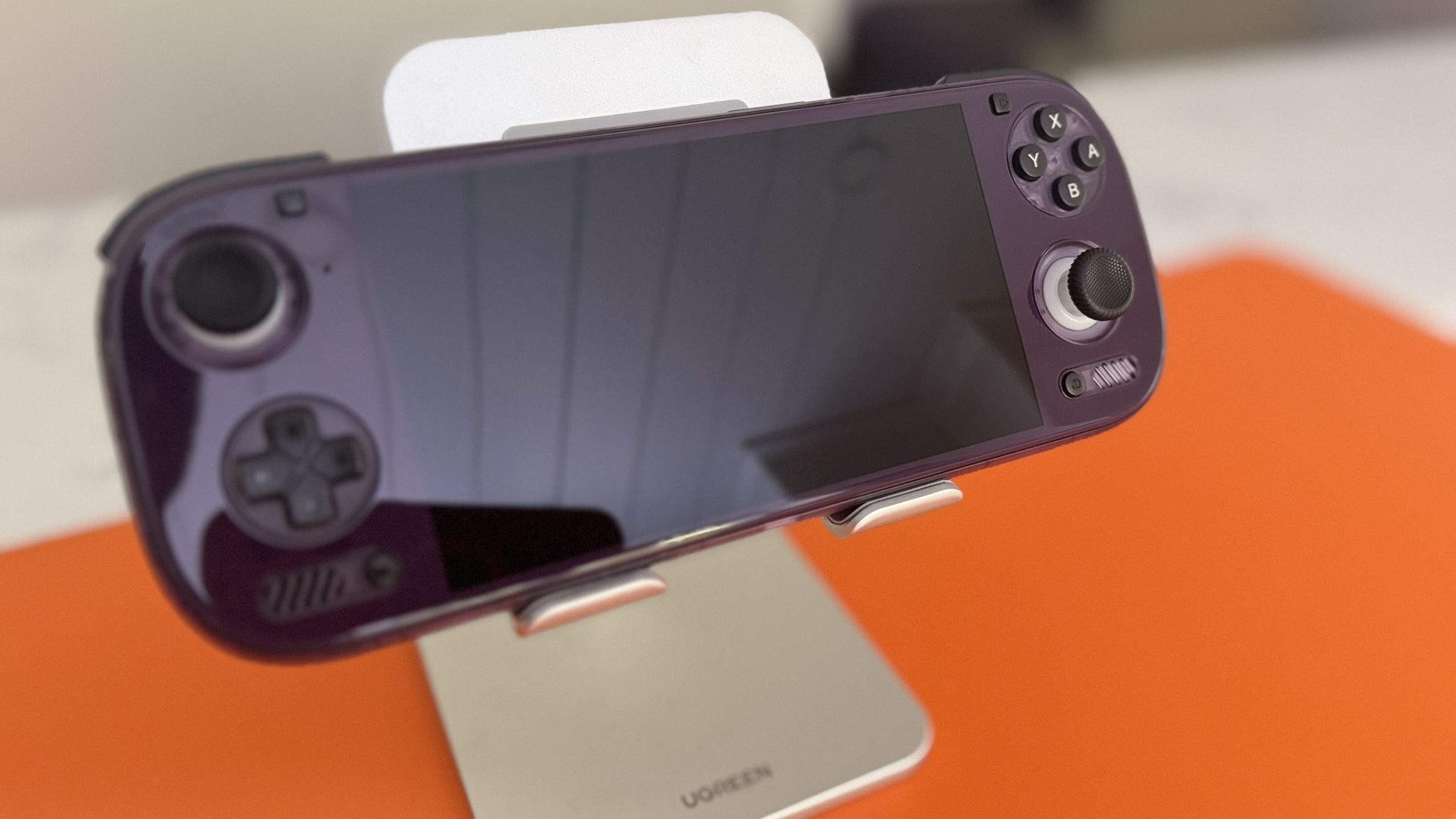
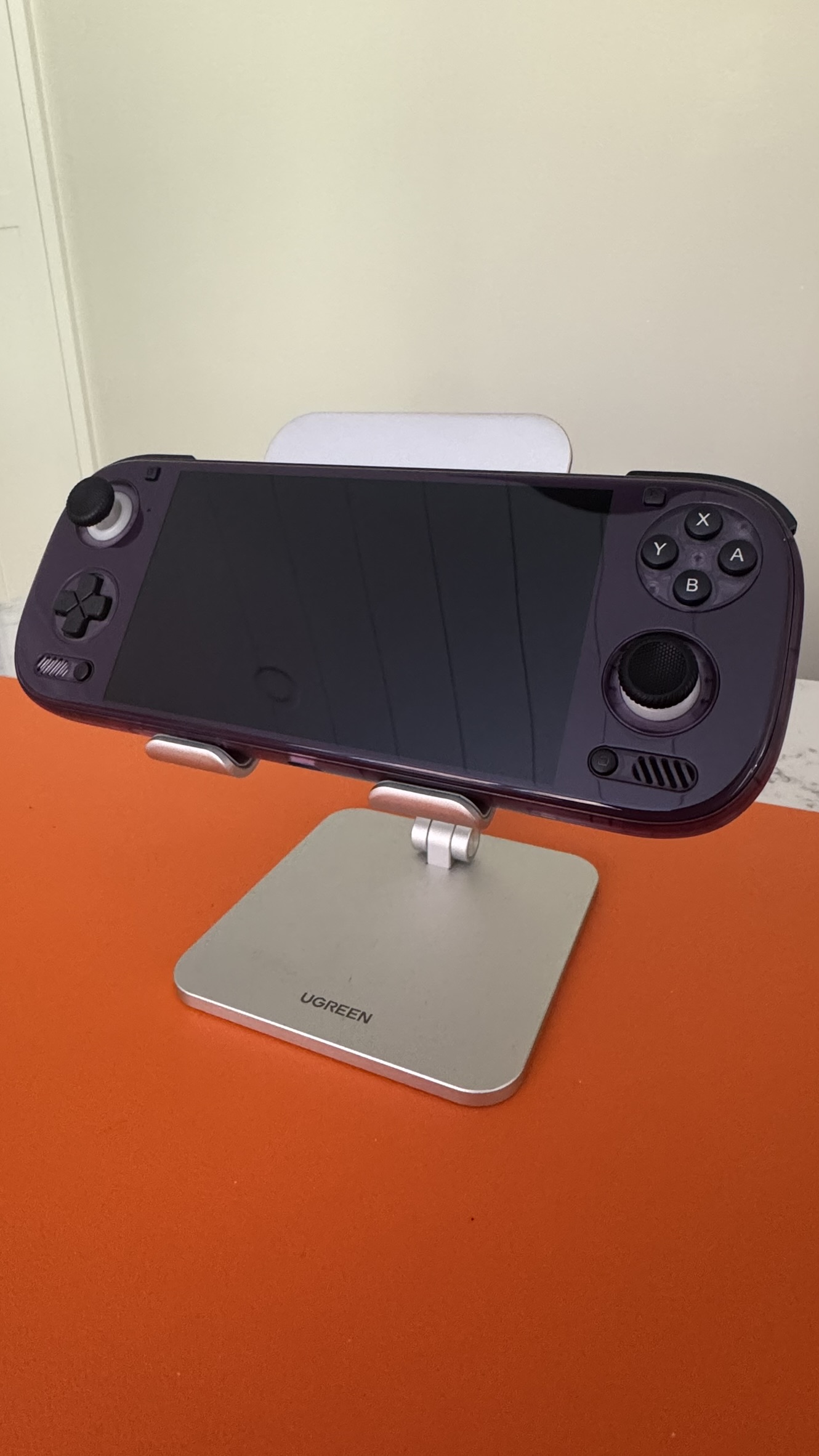
One of my favorite parts of reviewing a handheld is seeing just how far I can push the limit. With the Odin 3 Max, that meant exploring everything from older consoles to PC gaming and some of the more demanding emulators available on Android. Below is a breakdown of the systems I’ve tested, along with a selection of games I’ve played.
| Rating | What It Means |
|---|---|
| ★★★★★ | Excellent experience. Strong performance and well suited to the Odin 3 Max. |
| ★★★★☆ | Very good experience with a few compromises. |
| ★★★☆☆ | Good for select games, but compatibility, performance, or screen fit can vary. |
| ★★☆☆☆ | Experimental. Some games may work, but expect significant limitations. |
| ★☆☆☆☆ | Poor experience with major performance or compatibility issues. |
Note: Ratings reflect my overall experience on the AYN Odin 3 Max, factoring in performance, compatibility, ease of setup, controls, and display suitability.
| System | Rating | Why |
|---|---|---|
| PC / Windows | ★★★★★ | Excellent experience across a wide selection of indie games, many of which take advantage of the 120Hz display. Compatibility continues to improve. |
| Games Tested | Beatdown City Survivors, Blood Dungeon, Brotato: Primal Dread, Cataclyzm, Deadly Days: Roadtrip, Geometry Rift: Apocalypse, Geometry Wars: Retro Evolved, Go Next!, Mini Mart Survivors, Rakuworld, Sulfur, Warhammer Survivors, Ashen Swarm (Demo), BoomScroll (Demo), Driving Rogue (Demo), Flock of the Seraphim (Demo), Oddbat (Demo), Queen’s Domain (Demo) | |
| PlayStation 3 | ★★★☆☆ | Some impressive results, but performance and compatibility vary considerably by game. Certain titles require additional adjustments. |
| Games Tested | TerRover, Ratchet & Clank Future: Tools of Destruction, Super Stardust HD, Resogun, PixelJunk Shooter, Scott Pilgrim vs. The World: The Game, Metal Slug X, Haze, God of War III | |
| Xbox 360 | ★★★☆☆ | Several games performed well, but compatibility varies, and occasional overheating warnings remain a concern. |
| Games Tested | Blur, Saints Row, Muchi Muchi Pork! & Pink Sweets, Crackdown | |
View All Systems Hide Systems
| System | Rating | Why |
|---|---|---|
| Switch | ★★★★☆ | Excellent performance across most games tested, although the initial setup and configuration require additional effort. |
| Emulator | Eden | |
| Games Tested | Hades II, Mario Kart 8 Deluxe, Castlevania: Belmont’s Curse, Crafty Survivors | |
| PlayStation 2 | ★★★★★ | Excellent performance across all games tested, with minimal compromises. |
| Emulator | ARMSX2 | |
| Games Tested | 50 Cent: Bulletproof, Castlevania: Curse of Darkness, Castlevania: Lament of Innocence, Def Jam: Fight for NY, Def Jam Vendetta | |
| PlayStation Vita | ★★★☆☆ | A natural fit for the 16:9 AMOLED display, but inconsistent emulator compatibility limits the overall experience. |
| Emulator | Vita3K | |
| Games Tested | Super Stardust Delta, Uncharted: Golden Abyss, Assassin’s Creed III: Liberation, Joe Danger, Nuclear Throne, King Oddball, MotorStorm RC, Shovel Knight | |
| Original Xbox | ★★★★☆ | Very good performance across the games tested, with some titles able to run at higher resolutions. Encouraging results for an emulator still relatively early in its development. |
| Emulator | HakuX | |
| Games Tested | Project Gotham Racing, Burnout Revenge, Midnight Club 3: DUB Edition, Amped: Freestyle Snowboarding, Dead or Alive 3 | |
| Xbox 360 | ★★★☆☆ | Several games performed well, but compatibility varies, and occasional overheating warnings remain a concern. |
| Emulator | Xendroid / Xendroid+ | |
| Games Tested | Blur, Saints Row, Muchi Muchi Pork! & Pink Sweets, Crackdown | |
| PlayStation 3 | ★★★☆☆ | Some impressive results, but performance and compatibility vary considerably by game. Certain titles require additional adjustments. |
| Emulator | ARMSX3 | |
| Games Tested | TerRover, Ratchet & Clank Future: Tools of Destruction, Super Stardust HD, Resogun, PixelJunk Shooter, Scott Pilgrim vs. The World: The Game, Metal Slug X, Haze, God of War III | |
| PC / Windows | ★★★★★ | Excellent experience across a wide selection of indie games, many of which take advantage of the 120Hz display. Compatibility continues to improve. |
| Applications | DroidDeck / GameNative | |
| Games Tested | Beatdown City Survivors, Blood Dungeon, Brotato: Primal Dread, Cataclyzm, Deadly Days: Roadtrip, Geometry Rift: Apocalypse, Geometry Wars: Retro Evolved, Go Next!, Mini Mart Survivors, Rakuworld, Sulfur, Warhammer Survivors, Ashen Swarm (Demo), BoomScroll (Demo), Driving Rogue (Demo), Flock of the Seraphim (Demo), Oddbat (Demo), Queen’s Domain (Demo) | |
Specifications and compatibility only tell part of the story. Here’s a look at some actual gameplay on the AYN Odin 3 Max, with examples from the systems I’ve been testing.
- You want to push the limits of emulation on Android
- You enjoy experimenting with newer emulators and operating systems
- You want to play compatible PC games on Android
- You prefer a 16:9 AMOLED display with a 120Hz refresh rate
- You want access to a wide variety of gaming platforms
- You primarily play older systems that don’t require as much processing power
- You expect every game to work flawlessly
- You prefer a larger screen for games with small text
- You want a plug-and-play experience
- You’re shopping on a tighter budget
Peanut butter and jelly. Chips and salsa. Beer and baseball. Some things together just make sense. This is the case with the Odin 3 and emulation. No matter what you throw at this device, you’re going to have more than a fighter’s chance of getting things into a playable state without feeling compromised. From the gorgeous screen and impressive processing power to its near-perfect in-hand comfort, the Odin 3 is truly a cut above most retro handhelds in the space.
Depending on the RAM configuration, your experience may vary. This review is based on the AYN Odin 3 Max with 16GB RAM and 512GB UFS 3.1 storage.
| Hardware | |
|---|---|
| Model | AYN Odin 3 Max |
| Processor | Qualcomm Dragonwing Q8 (Snapdragon 8 Elite-class) |
| CPU | 8-core Oryon: 2× 4.32GHz + 6× 3.53GHz |
| GPU | Adreno 830 |
| RAM | 16GB LPDDR5X |
| Cooling | Active Cooling |
| Software | |
| Operating System | Android 15 |
| Updates | Official OTA support |
| Display | |
| Screen Size | 6-inch AMOLED Touchscreen |
| Resolution | 1920 × 1080 |
| Aspect Ratio | 16:9 |
| Refresh Rate | 120Hz |
| PPI | ~367 PPI |
| Physical | |
| Dimensions | 224.8 × 87.5 × 16.6mm |
| Weight | 390g |
| Form Factor | Horizontal |
| Storage | |
| Internal Storage | 512GB UFS 3.1 |
| External Storage | TF / microSD Card Slot |
| Battery | |
| Battery Capacity | 8000mAh |
| Charging | 60W USB-C Fast Charging |
| Bypass Charging | Supported |
| Controls | |
| Analog Sticks | Hall Effect Sticks |
| Triggers | Hall Effect Analog L2 / R2 |
| Shoulder Layout | Stacked |
| D-Pad | Bottom Left |
| Rear Buttons | Programmable M1 / M2 |
| Connectivity | |
| Wi-Fi | Wi-Fi 7 |
| Bluetooth | Bluetooth 6.0 |
| USB | USB 3.1 Type-C |
| Video Output | DisplayPort 4K 60Hz via USB-C |
| Audio | |
| Speakers | Stereo, Front-Facing |
| Headphone Jack | 3.5mm |
| Guides | |
|---|---|
| AYN Odin 3 Setup Guide | Joey’s Handhelds: A comprehensive guide to setting up the Odin 3, with emulator recommendations, configuration tips, and device-specific settings. |
| Emulation | |
| Obtainium | Obtainium can install and update Android applications directly from sources such as GitHub. |
| Obtainium Emulation Pack | A collection of Android emulators and gaming utilities designed for use with Obtainium. Visit the Releases page for the latest package. |
| ARMSX2 | PlayStation 2 emulator for Android. Visit the ARMSX2 releases for downloads and updates. |
| ARMSX3 | PlayStation 3 emulator for Android. Check the project’s official release information for downloads, compatibility, and setup requirements. |
| Vita3K | PlayStation Vita emulator for Android. Visit the Vita3K website for installation information and compatibility details. |
| Eden | Switch emulator for Android. Visit the Eden website for downloads and project information. |
| HakuX | Original Xbox emulator for Android. Download from the HakuX releases. Additional system files are required. Consult the project’s setup requirements before installation. |
| XenDroid | Xbox 360 emulator for Android. Download the APK from the official releases. The developer warns against unofficial download sources. |
| Front-End | |
| Cocoon | A free Android gaming front-end for organizing and launching games through a console-style interface. Visit the Cocoon website for downloads and additional information. |
| Drivers | |
| Mr Purple T30 | Custom Mesa Turnip Vulkan driver for supported Qualcomm Adreno GPUs. Version T30 is the current driver selected for Odin 3 Max testing. Visit Mr Purple’s releases for downloads and compatibility information. |
| PC Gaming | |
| DroidDeck | An open-source project that brings a SteamOS-style gaming experience to supported Android handhelds. It provides access to Steam and compatible PC games through a Linux-based environment. Download from the official DroidDeck releases. |
| GameNative | An Android application for running compatible PC games from supported storefronts, including Steam, GOG, and Epic Games. Visit the GameNative repository for downloads and setup information. |
| AYN | Odin 3 hardware specifications, configurations, display, battery, and features. |
| Qualcomm | Dragonwing Q8 processor architecture, CPU, GPU, and technical specifications. |
| Joey’s Handhelds | Odin 3 setup guide, recommended settings, and emulator configuration. |
Have something to add? Join the PlayItAgain.gg community on Discord to share your thoughts, ask questions, and talk handheld gaming.
JOIN THE CONVERSATION