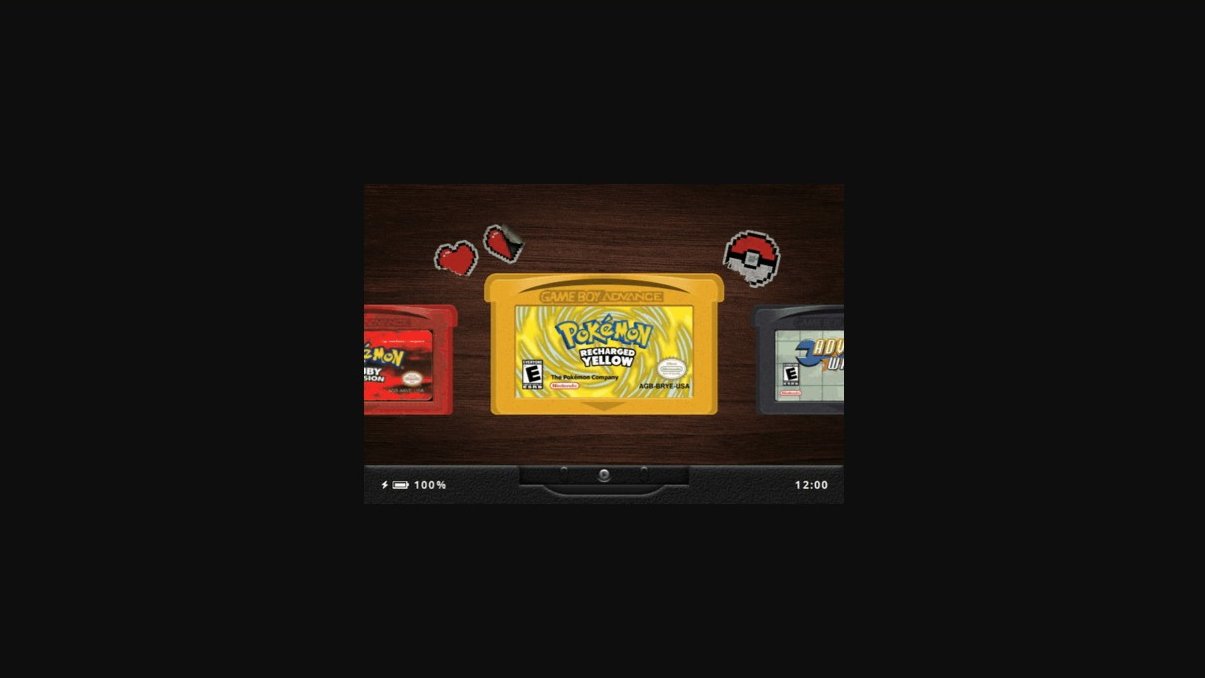
One of the earliest articles I wrote for this adventure I’m on was about Slot. At the time, this emulation frontend was new and only available for the Anbernic RG SP.
When it comes to emulation frontends, there’s certainly no shortage of options. Many are designed to manage massive game libraries across dozens of systems, complete with themes, artwork, videos, and more settings than you may ever need.
But do you suffer from choice paralysis? What if you just want to play some Game Boy games and get on with it?
I think that’s where a frontend like Slot fills a need in the space.
Developed by Brandon Kowalski, Slot is a free, open-source frontend designed specifically for Game Boy, Game Boy Color, and Game Boy Advance games. Originally created for the RG SP, Slot takes a different approach from traditional frontends by recreating the experience of browsing through physical game cartridges.
Rather than scrolling through endless lists of games, you’re presented with a virtual shelf of cartridges. Select a game, pop it in, and start playing.
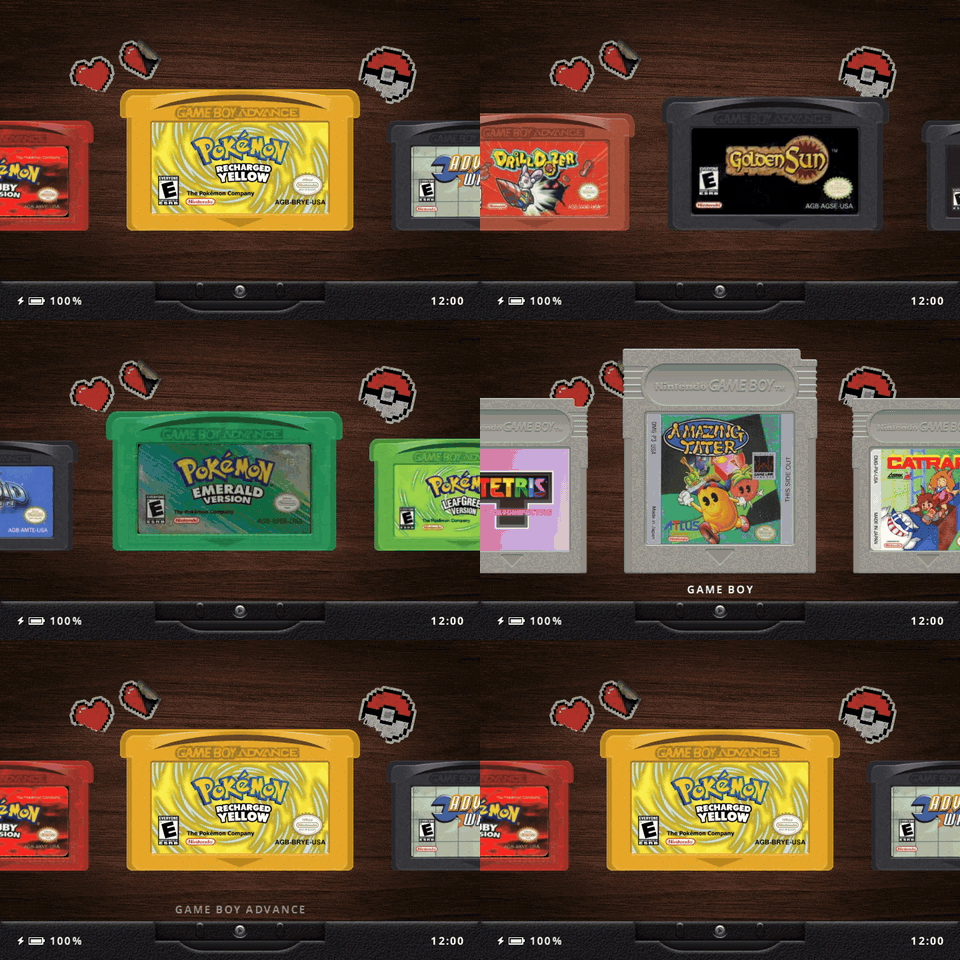
As a side note, I was listening to Expedition Handheld this week, and Russ from Retro Game Corps mentioned that Brandon recorded the actual sounds of cartridges being inserted into an old Game Boy. So, if you’re using Slot and feel a tinge of nostalgia, there’s some authenticity behind what you’re hearing.
Now you just don’t have to go digging through your closet looking for that box of cartridges you swear you didn’t throw away. My wife actually sold mine very cheaply at a yard sale once!
Part of Slot’s appeal is that it isn’t trying to be the next ES-DE or Cocoon. Instead, it offers modern conveniences like save states, fast-forward, rewind, and sleep functionality while keeping the overall experience focused on three handheld systems.
If you’re someone who enjoys tinkering with settings and organizing enormous game libraries, Slot might not be for you. But if you’re looking for something that gets you into your games without a lot of distractions, there’s something appealing about its simplicity.
And speaking of simplicity, Russ also mentioned just how incredibly fast games load in Slot, which only adds to its appeal.
Since I first covered Slot back in September, the project has continued to evolve, adding support for additional handhelds, improving its interface, and introducing features that make it worth revisiting.
| Expanded Handheld Support | |
|---|---|
| Supported Devices | Originally developed for the Anbernic RG SP, Slot now supports the RG34XX, RG34XXSP, RG35XXSP, RG35XX Plus, and RG28XX. Analog stick support on the RG34XXSP is not yet available. |
| Interface and Customization | |
| Redesigned Interface | Version 1.7.0 introduces more realistic cartridge slots and shelves, along with light and dark themes and bundled wallpapers. |
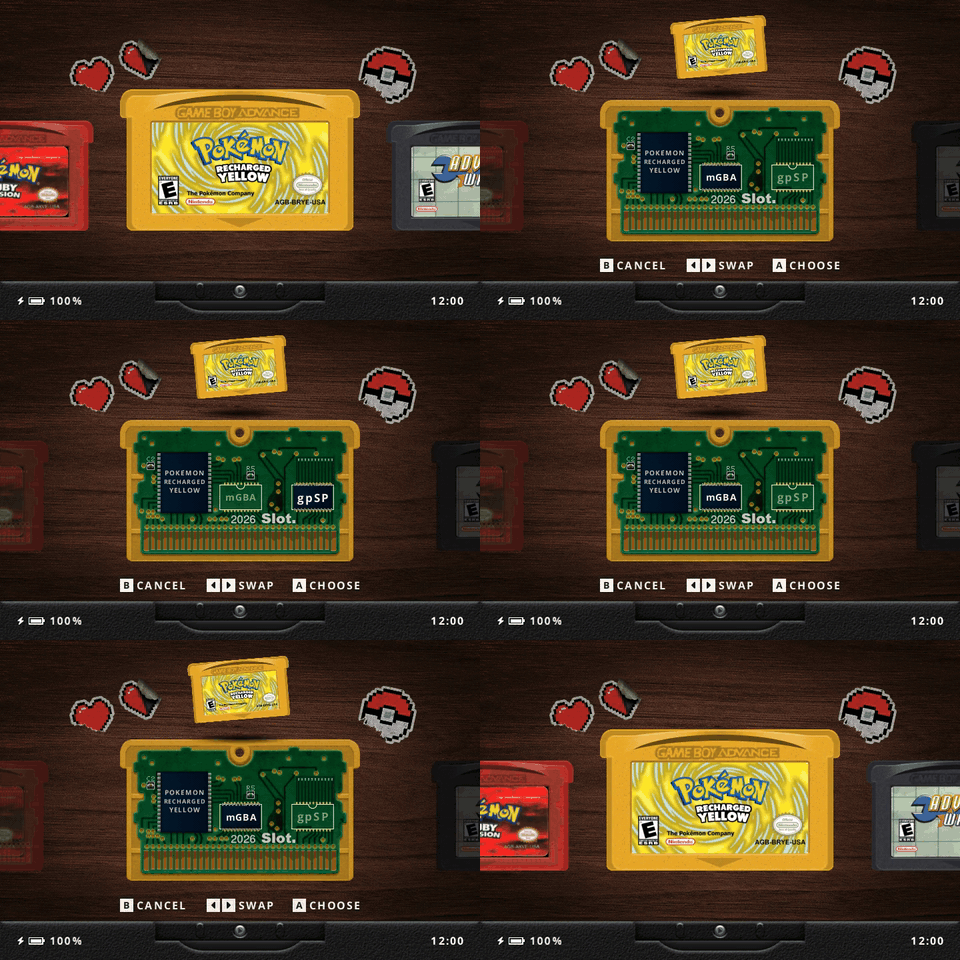
| Favorites | Press Y on a cartridge to add it to a dedicated Favorites shelf. |
| Recently Played | An optional Recents shelf displays your 10 most recently played games. |
| Resume Browsing | Slot remembers your selected shelf and cartridge position when powering off. |
| Wallpaper Customization | Choose from bundled wallpapers or use your own. A wallpaper tint option allows backgrounds to be darkened. |
| Gameplay and Display Improvements | |
| In-Game Menu | Tap MENU to pause gameplay and access the in-game menu. Double-tap MENU to jump directly to save states. |
| Display Settings | Game Boy, Game Boy Color, and Game Boy Advance now have separate shader and color correction settings. |
| Custom Bezels | Platform-specific bezels are available for GB, GBC, and GBA games. |
| Run-Ahead | Optional one-frame run-ahead for GBA games using the mGBA core. |
| Brightness Controls | Improved brightness adjustments allow finer control at lower brightness levels. |
| Performance and Stability | Fixes for fast-forward stuttering, restart-related black screens, and certain gpSP crashes. |
What about the Achievement Hunters?
If you enjoy collecting RetroAchievements, there’s another version of Slot you might want to look into.
Prashant Vaibhav, the developer behind BaseOS, maintains a separate fork of Slot that builds on Brandon Kowalski’s original project while introducing additional functionality.
The biggest addition of course is RetroAchievements support for Game Boy Advance games. You can earn softcore achievements while connected to Wi-Fi, or have them cached for offline play and synchronized when you’re back online.
The fork also introduces home Wi-Fi connectivity, automatic downloads of missing cartridge labels, wireless link functionality, and display enhancements such as color calibration and LCD ghosting effects.
As of this writing, the fork has been updated to incorporate Slot 1.7.0. Therefore, it includes the latest interface improvements alongside its own additions.
These extra features are only available in Vaibhav’s fork and shouldn’t be confused with the features included in the official Slot release.
You can find the alternative version and installation instructions on the community fork’s GitHub page.
| One-Card Setup | |
|---|---|
| How It Works | BaseOS, Slot, games, and saves all live on one microSD card in TF1. |
| Advantages | Requires only one microSD card. Ideal for a dedicated Slot handheld. |
| Considerations | Reflashing BaseOS can erase your games, saves, and settings. Back up your files first. |
| Two-Card Setup | |
| How It Works | BaseOS runs from TF1, while Slot, games, saves, and settings live on TF2. |
| Advantages | Keeps your games and saves separate from the operating system, making it easier to reflash or change firmware. |
| Considerations | Requires two microSD cards. TF2 must be formatted as FAT32. |
| Step 1: Check Compatibility | |
|---|---|
| Supported Devices | Slot officially supports the Anbernic RG SP, RG34XX, RG34XXSP, RG35XXSP, RG35XX Plus, and RG28XX. Check the Slot GitHub for the latest compatibility information. An unofficial TrimUI Brick port is also available for testing. |
| Step 2: Prepare Your microSD Cards | |
| What You’ll Need | One or two microSD cards, a card reader, and a PC. Back up any existing files, as flashing BaseOS will erase the selected card. |
| Step 3: Install BaseOS | |
| Download & Flash | Download the appropriate image from the BaseOS Releases page. Extract the image and flash it to your TF1 microSD card using balenaEtcher or Rufus. |
| First Boot | Insert TF1 into your handheld and power on. Allow BaseOS to complete its initial setup and expand its data partition. Shut down the handheld afterward. See the BaseOS Installation Guide for additional instructions. |
| Step 4: Install Slot | |
| Download | Download the latest compatible version from the Slot Releases page and extract the downloaded archive. |
| One-Card Setup | Copy the contents of the extracted Slot folder to the root of the BASEOS data partition on TF1. |
| Two-Card Setup | Format your second microSD card as FAT32. Copy the contents of the extracted Slot folder to the root of TF2. |
| Important | Copy the files and folders inside the extracted Slot folder, not the enclosing folder itself. Keep the supplied System folder and directory structure intact. |
| Step 5: Add Your Games | |
| ROMs | Copy your legally obtained ROMs into the appropriate folders on the card containing Slot: Games/GB/ for Game Boy, Games/GBC/ for Game Boy Color, and Games/GBA/ for Game Boy Advance. Extract ROMs from ZIP or 7z archives first. |
| BIOS | If needed, place your legally obtained BIOS files in the BIOS/ directory. Consult the Slot User Guide for BIOS requirements. |
| Step 6: Start Playing | |
| Launch | Safely eject your microSD cards and insert them into the appropriate slots. For a one-card setup, use TF1 only. For a two-card setup, insert both TF1 and TF2. Power on your handheld, and Slot should launch into its cartridge-based interface. |
| Slot GitHub | Official project repository by Brandon Kowalski. Includes supported devices, features, and project information. |
| Slot Releases | Download the latest version of Slot for supported handhelds. |
| Slot Changelog | Release history covering new features, device support, improvements, and bug fixes. |
| Slot User Guide | Official documentation covering controls, customization, settings, and using Slot. |
| BaseOS GitHub | Lightweight operating system used to run Slot on supported Anbernic handhelds. |
| BaseOS Installation Guide | Official installation instructions covering BaseOS, one-card and two-card setups, installing Slot, and updating the operating system. |
| Slot Community Fork | Alternative version maintained by the BaseOS developer, featuring RetroAchievements, home Wi-Fi connectivity, and additional display enhancements. |