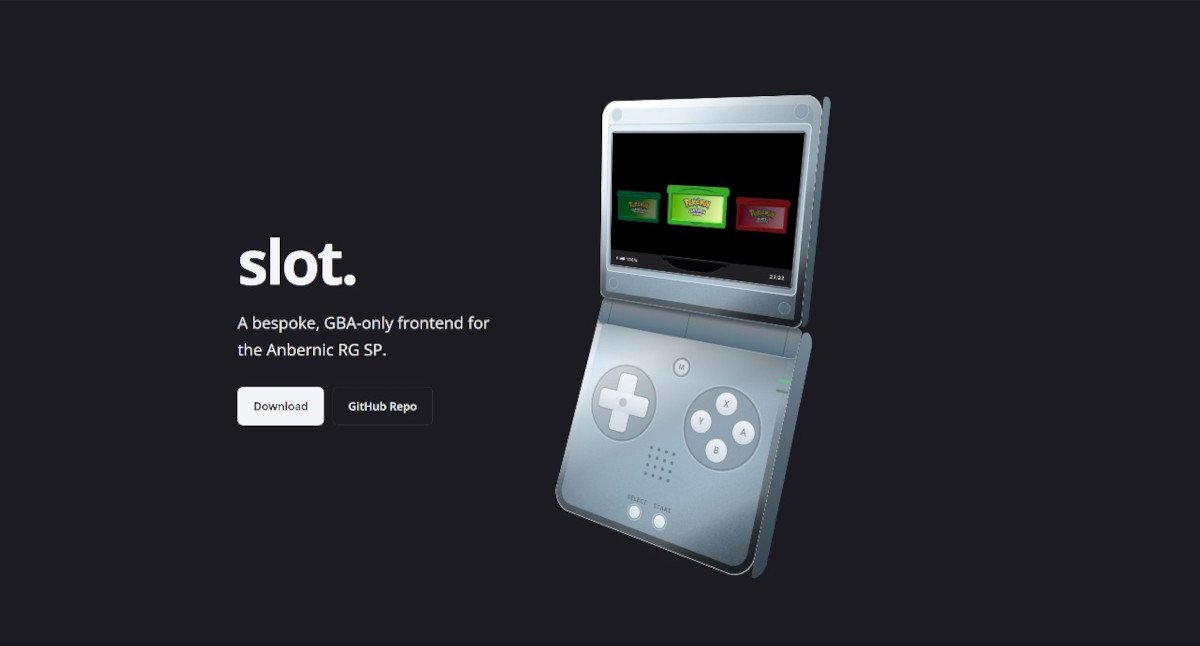
A
bespokeperformative, GBA-only frontend for the Anbernic RG SP.
In some handheld social media circles, there has been a slight buzz about slot., a new custom firmware/frontend project by Brandon Kowalski. This frontend is built specifically around turning the new Anbernic RG SP into a dedicated Game Boy Advance-style handheld. For those who suffer from choice paralysis, slot. might be just for you. There is a growing trend amongst enthusiasts to buy a handheld system to focus on one specific console. There is where slot. comes into play, rather than bogging the system down with every emulator the RG SP can run, this frontend deliberately focuses on the GBA experience.
More info on slot. can be found at https://slot.kowalski.io/ and on it’s GitHub Page: https://github.com/BrandonKowalski/slot
forthenext on X has some footage of the slot. in action. Posting below, and go make sure to give forthenext a follow too!
Slot by Brandon Kowalski. Firmware for ANBERNIC RG SP. pic.twitter.com/JLcCJCndS3
— forthenext (@forthenextlive) September 12, 2026
| Feature | Details |
|---|---|
| Browse the Carousel | Use L and R to cycle through your cartridges. |
| Insert and Play | Tap A to load the last save state. Hold A to start the game fresh. |
| Ejecting a Game | Hold MENU to eject the cart. On exit, slot creates a save state. |
| Save States | SELECT + R1 creates a save state. SELECT + L1 loads the most recent. Double tap MENU to open the save state switcher. |
| Fast-Forward & Rewind | Hold R2 to fast-forward, or double tap to lock it on. Hold L2 to rewind. |
| Lid Detection | Closing the lid creates a save state and turns off the display. Reopen it to return to the game. Leave it closed for three minutes and slot powers off, resuming from that save state on the next boot. |
| Button Reference — Anywhere | |
| Brightness | SELECT + Up / Down — Adjust brightness. |
| Blue Light | SELECT + Left / Right — Adjust blue light. |
| Volume | VOL+ / VOL− — Change the volume. |
| Mute | VOL+ + VOL− — Mute while remembering the previous volume level. |
| Button Reference — On the Carousel | |
| Browse | L / R — Browse the carousel. |
| Resume Game | Tap A — Resume the last save state. |
| Start Fresh | Hold A — Start the game fresh. |
| About Screen | MENU — Open the about screen. |
| Choose Emulator | START — Choose which emulator runs the cart. |
| Button Reference — In Game | |
| Eject / Carousel | Hold MENU — Save state, eject the cart, and return to the carousel. |
| Save State Switcher | Double tap MENU — Open the save state switcher to load or delete a state, or undo the last save or load within 30 seconds. |
| Link Play | SELECT + MENU — Link with another RG SP. Requires gpSP. |
| Create Save State | SELECT + R1 — Create a save state. |
| Load Save State | SELECT + L1 — Load the most recent save state. |
| Rewind | Hold L2 — Rewind gameplay. |
| Fast-Forward | Hold R2 — Fast-forward gameplay. |
| Lock Fast-Forward | Double tap R2 — Lock fast-forward on. Press again to unlock. |
Please read Brandon’s AI Disclosure below.
|
The Rust frontend was put together by Claude Opus. I reviewed everything that was produced. The RG SP SVGs on this page were also generated by Claude. This documentation is 100% free-range, meatbag prose. The project is extremely low stakes. I wanted a bespoke frontend for my RG SP and thought that something this focused on GBA would be kind of neat. This is just a glorified wrapper around mGBA and gpSP. Both are the real stars of this show. Use it, don’t use it, I don’t care. Figured I should share the end result of all the wasted water. ✌ |