A phrase you might hear me use in moments of exasperation is “the juice is not worth the squeeze!” Why do I bring this up in a custom firmware article for the newly released Anbernic RG DS Plus? Well, that’s because the developer who leads/maintains GammaOS is known as TheGammaSqueeze. Let’s just say his work proves that sentiment wrong.
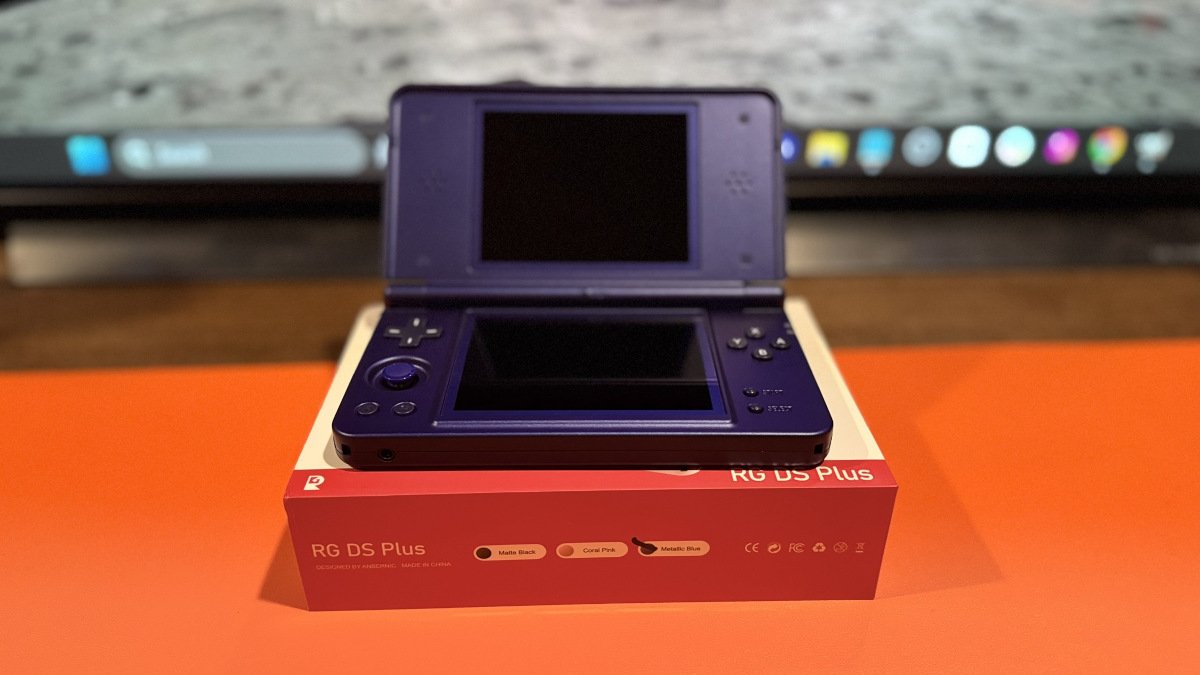
Thanks to this hardworking developer, many of us have enjoyed his custom firmware. Specifically, I’ve been using GammaOS Next on my cherished all-metal RG 477V. I’m eager to try GammaOS Nano on my newly arrived RG DS Plus, which looks great in Metallic Blue. The photo above is from my newly opened DS Plus.
Anbernic’s RG DS Plus is an Android dual-screen gaming handheld designed with Nintendo DS emulation in mind and also supports a wide range of classic gaming systems.
I’d better hurry up and finish this article because versions 1.4.2 and 1.4.3 of Nano have been released in the last few days. Otherwise, this might be outdated before I can hit the post button.
So what is GammaOS Nano? Well, rather than me wordsmith some terminology, this is the exact quote from the GitHub Page:
GammaOS Nano is not a launcher, it is a whole micro-OS built on top of Android. It grabs the panel the instant you power on and paints a full console-style home (the RG DS Plus boots into the DSi System Menu theme by default), but underneath it is deeply integrated with the low-level Android system and the device hardware: DRM-direct rendering straight to both panels, an early-boot audio engine that sounds before the rest of the system is even up, native power and sleep management, and direct control of the two screens. There is no heavy Android launcher loading in the background, no bloat, and no waiting. It boots straight to a console-style experience that is fast, lean and built for a controller first.
As of this writing, GammaOS Nano is a Patreon exclusive. Since my RG DS Plus has just arrived, I’ve not yet had a chance to install GammaOS Nano, but I’m eager to see it in action. What DS game should I play first?
Below are improvement notes for each recent release.
| Headphone Audio | Low-latency audio now works properly through the headphone jack |
| Touchscreen | Touch input now works immediately after waking the device |
| Battery | Fixed unexpected shutdowns during first-time setup when running on battery |
| Wi-Fi | Wi-Fi now reconnects properly after waking from sleep |
| Quick Resume | Fixed a loop that could prevent users from returning to the home screen |
| GPU 3D | Improved rendering accuracy to better match DraStic’s CPU renderer |
| DS Cheats | Added support for custom R4-style usrcheat.dat cheat databases |
| Performance | Added per-game performance mode settings |
| Box Art | Box art and background images can now be stored on the SD card |
| Vertical Arcade | Added dedicated vertical arcade folders with FBNeo and MAME support |
| Setup | Improved the setup wizard with smoother performance and automatic completion |
| Other Fixes | Improved charging indicators, mouse mode, Syncthing, global search, and system updates |
| 3D Performance | GPU-accelerated high-resolution 3D |
| Frame Pacing | Improved frame pacing for smoother gameplay |
| Audio | Much lower audio latency |
| Quick Resume | Quickly resume games where you left off |
| Fast-Forward | Added fast-forward controls |
| Game Settings | Per-game settings and configuration |
| Shaders | 38 RetroArch LCD and CRT shaders |
| RetroAchievements | RetroAchievements support |
| Dual-Screen | Improved dual-screen rendering |
| Game Fixes | Fixes for Mario Kart DS, Pokémon White 2, and GTA: Chinatown Wars |
| GammaOS Next – GitHub | Official GammaOS Next releases, release notes, downloads, and update information. |