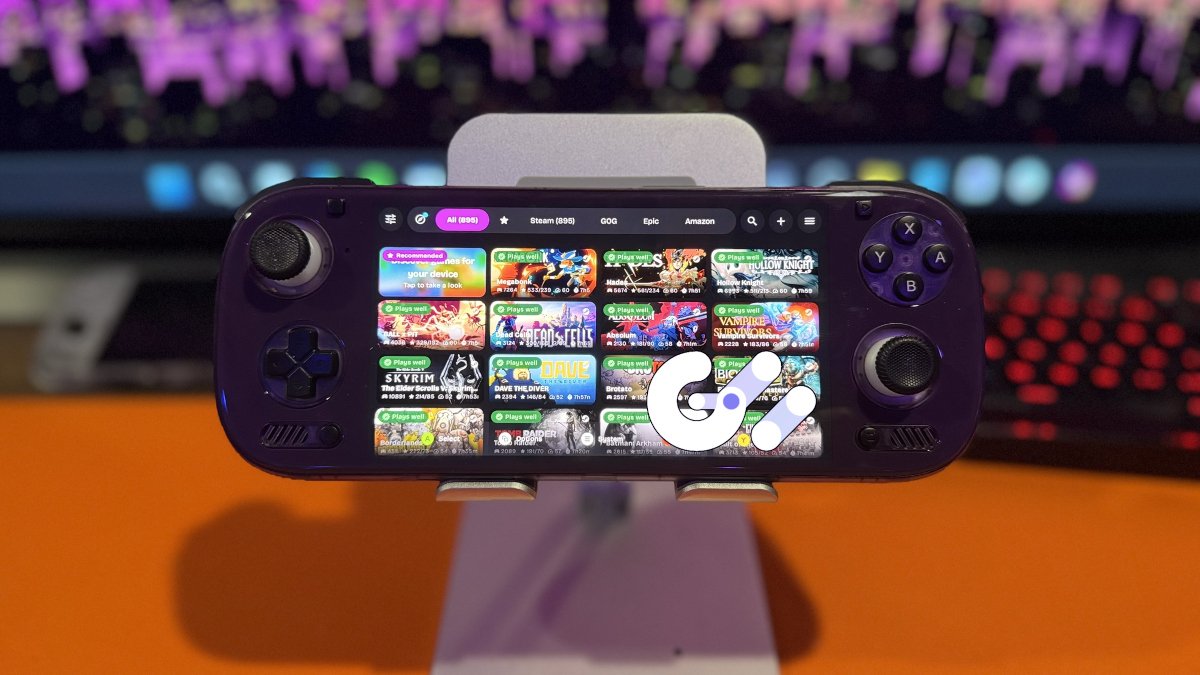
GameNative 1.4.0 is here, with a big change to how Windows PC games appear on Android devices. Gamescope is now the default renderer for devices with Adreno GPUs. The update also expands game compatibility, introduces new performance tools, and updates several components that help Windows games run on Android.
You didn’t think the GameNative devs were sitting on their hands, did you? Let DroidDeck get all the attention? Nah, there is work to be done, and sometimes the work isn’t ready until it’s ready.
Developed and maintained by Valve, Gamescope is a tool that manages how games appear on a screen. Best known for its use on the Steam Deck, it controls features such as resolution, image scaling, and how smoothly frames reach the display.
For GameNative users, the potential benefits include smoother gameplay, lower input delay, automatic upscaling, HDR, ReShade support, and Lossless Scaling Frame Generation (LSFG). The latter creates additional frames to make motion appear smoother, although it doesn’t increase the game’s actual performance. None of these features guarantee higher FPS, and some games may encounter compatibility problems with the new default.
Gamescope isn’t exclusive to GameNative. DroidDeck also uses the technology, although the two applications have different implementations. GameNative 1.4.0 makes Gamescope the default on Adreno devices, but neither application has a clear performance advantage based on that fact alone.
Beyond Gamescope, GameNative 1.4.0 improves compatibility with several PC games, including Alan Wake, Project Zomboid, and Counter-Strike 2. Battle.net titles such as Diablo IV and Overwatch 2 also receive fixes, alongside improvements to GOG Galaxy and Epic Online Services.
The update also introduces newer versions of Proton and graphics tools, plus a performance display that helps users identify whether their CPU, GPU, or heat may be responsible for slowdowns.
| Steam & Game Library | |
|---|---|
| Steam Cloud | Fixed save-folder detection, synchronization issues, and unnecessary uploads. |
| Steam Achievements | Improved achievement notifications and corrected handling of reset achievements. |
| Steam Playtime | Suspended games no longer accumulate Steam playtime. |
| Game Downloads | Fixed installation failures, download interruptions, and Android storage path errors. |
| Controls & Display | |
| Controller Support | Improved controller reconnection, hotplug detection, and input reliability. |
| AYN Thor & Flip 2 | Fixed duplicate controller detection in certain games, including Castle Crashers. |
| Gyroscope Controls | Added input priority options for gyroscope-based controls. |
| Mouse Controls | Added individual mouse-speed settings for controller profiles. |
| Windowed Games | Improved display scaling for games running in windowed mode. |
| Screen Orientation | Added an orientation control to the launcher’s System menu. |
| Stability & Quality of Life | |
| Application Stability | Fixed several crashes, freezes, and application-not-responding errors. |
| Android Compatibility | Improved compatibility with ColorOS 17 and addressed SurfaceFlinger rendering issues. |
| Android TV | Fixed a disabled Install button in the game manager. |
| Localization | Added Turkish language support and improved Japanese translations. |
For Android handheld owners who use both GameNative and DroidDeck, the update provides another opportunity to compare how each application handles the same games. I’ve been using DroidDeck a lot more lately but I was happily using GameNative before, so I’ll be jumping back and forth doing some testing.
| GameNative 1.4.0 | Official release notes and downloads |
| GitHub | Official GameNative repository |
| Changelog | Changes between versions 1.3.0 and 1.4.0 |
Have something to add? Join the PlayItAgain.gg community on Discord to share your thoughts, ask questions, and talk handheld gaming.
JOIN THE CONVERSATION