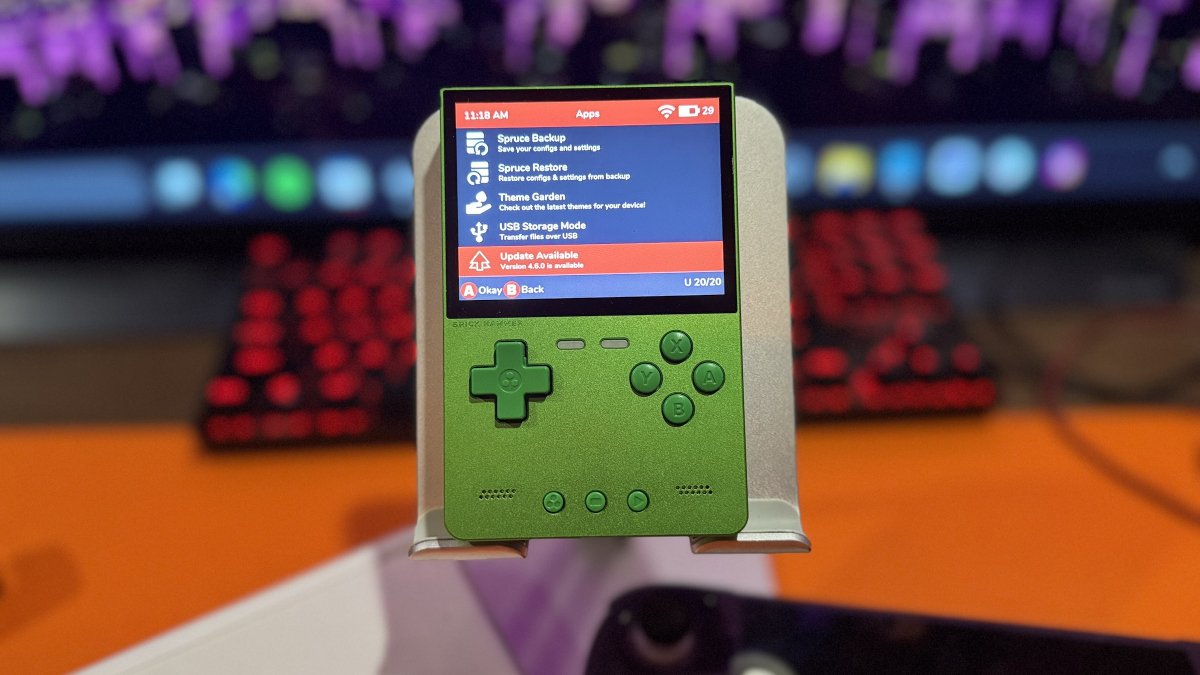
This update is fitting, as yesterday I was out in nature trimming some trees. I live pretty much in the woods, and some of the trees have taken over my driveway like they own the place. How rude! Anyway, I was out there with my pole saw, trimming some of the overhanging branches because my UPS driver had been complaining about how low they were getting. Why am I telling you any of this? No clue, other than spruceOS reminds me of trees. Welcome to how my brain works.
Speaking of spruce, spruceOS 4.6.0 has arrived with expanded handheld support, new touchscreen functionality, and several emulation improvements.
This release adds support for the Powkiddy V90S, along with preliminary support for the GameMT E5 Plus. The TrimUI Brick also gains an option for oakMOSS. For those who don’t remember, oakMOSS is a lightweight base operating system that allows spruceOS to boot and run on supported Allwinner A133P handhelds.
The spruceOS interface now supports touchscreen navigation on compatible handhelds. Players can browse menus, launch games, and use an on-screen keyboard. Touch controls can also be adjusted through the settings.
Lastly, there are several emulation improvements. Most notably, the experimental pokedaisy core has been added for Game Boy, Game Boy Color, and Game Boy Advance, although it isn’t supported on Miyoo Mini devices. Meanwhile, armGBA is now the default GBA core and replaces tgbdual for GB/GBC, while DSperate 3.3.0 introduces Vulkan support on compatible 64-bit devices.
| Interface and Features | |
|---|---|
| Kid Mode | Added a restricted mode based on Game Selection Only Mode, with game lists displayed in Carousel view. |
| In-Game Menu | Individual menu entries can now be enabled or disabled. |
| RetroArch Touch Controls | Added touchscreen menu support for the MagicX XU20 and Zero 40. |
| Applications | Applications and several game-list import tools can now run within PyUI. |
| Input Settings | Combined Button Settings and Controller Settings into a single menu. |
| Language Support | Completed the Catalan translation and improved language consistency across File Management, RetroArch, and PPSSPP. |
| Emulation and Gaming | |
| DraStic | Added DraStic support for dArkMoss devices. |
| PPSSPP | Standardized configurations across devices, including menu controls, fast-forward, and automatic save-state loading. |
| RetroArch Netplay | Added timeouts for unresponsive peers to improve netplay handling. |
| RetroAchievements | Achievement data is now cached at launch for games running through RetroArch. |
| PortMaster | Updated to the November 2, 2026 release. |
| Library and System Improvements | |
| Random Game | Now searches subfolders and locates matching box art. |
| Box Art Scraper | Expanded support for additional systems, including Atomiswave, Jaguar, Naomi, DSi, and PC-98. |
| Bluetooth | Added Bluetooth support for the Powkiddy RGB30. |
| Settings Preservation | Settings and interface language are now retained across updates. |
| Wi-Fi | Improved connection reliability by retrying failed Wi-Fi service startup attempts. |
| Backup Restoration | Restoring a backup now preserves per-game emulator core overrides. |
| Power and Controls | Addressed device-specific issues with battery reporting, sleep and resume, stick calibration, and shutdown behavior. |
| Official Releases & Changelogs | spruceOS GitHub |
| spruceOS on GitHub | Project Repository |
Have something to add? Join the PlayItAgain.gg community on Discord to share your thoughts, ask questions, and talk handheld gaming.
JOIN THE CONVERSATION