I just came back from trading in a slew of Xbox Series X and S consoles at Best Buy. Someone has to take advantage of those good trade-in prices. With my newfound Best Buy space bux, I was committed to spending some time looking at cameras so I could take better videos for this site. Surely, they won’t be used for anything else.
Distractions, shiny objects, and a deep, deep love of music had other plans for me. Today’s distraction came in the form of an update to my Odin 3, where, to my amazement, I discovered yet another DroidDeck release. Just two days after version 0.7.0, the developers are back with 0.7.1, and this time, the focus is on fixes rather than new functionality. I was less than pleased with the previous update after several games failed to launch, so when I saw that some of those issues had been addressed, I jumped in with both feet. My budding career as an amateur photographer will have to wait another day.
Several fixes address problems that prevented Steam games from launching properly. These include games stuck at “Processing install script,” downloads that never finish, and games that stall at Steam’s launch screen. DroidDeck now waits for Steam to become ready before it attempts to launch a game. Additional fixes address black screens and endless loading screens after exiting games.
Proton also received attention. Steam should no longer override a manually selected version, such as Proton Experimental, with DroidDeck-Proton. Other fixes address games that require Easy Anti-Cheat and launch failures caused by incompatible DLL files in ARM64 prefixes.
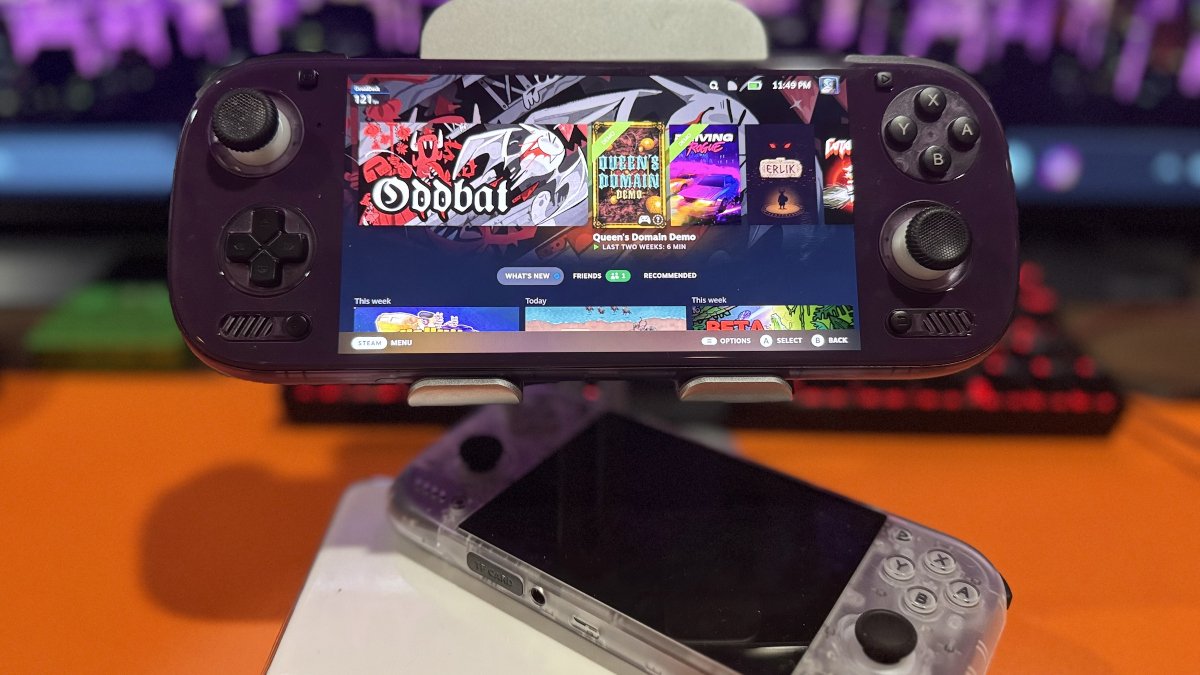
When I tested DroidDeck 0.7.0 on my Odin 3 Max, three Steam demos refused to cooperate. Queen’s Domain Demo became stuck at Steam’s “Starting launch…” screen, while Oddbat and Driving Rogue Demo also failed to launch. None of the three games were playable during my initial tests.
After today’s update, I fired up all three games, and the results were completely different. Not only did they launch without issue, but each was playable without any problems during my tests. Both Oddbat and Driving Rogue Demo launched almost instantly, a welcome change from my previous attempts.
I can’t say which individual fix resolved these problems, but all three games went from unplayable to playable after the update. For a release focused primarily on bug fixes, that’s a welcome result on my Odin 3. Now excuse me while I learn to drift in Driving Rogue. And am I the only one who has no clue what to do at the beginning of Queen’s Domain?
| Library & Interface | |
|---|---|
| Scarlet Snow | Introduces DroidDeck’s first light-colored launcher theme. |
| GOG Support | Adds owned DLC installation, expands store searches, and restores missing library entries. |
| Display Alignment | Adds left and right picture alignment, with corresponding touch and pointer adjustments. |
| Compatibility & Fixes | |
| Adreno GPU Support | Fixes GPU configuration issues for AppImage, Flatpak, and Snap applications on Adreno devices. |
| Memory Management | Addresses recurring memory compression that could cause stuttering on devices with 13GB of RAM or less. |
| PowerVR Graphics | Corrects grayscale graphics in Steam and games on affected Pixel 10 Pro devices. |
| Desktop Browser | Resolves Firefox tab crashes and desktop browser freezes. |
| Touch Controls | Fixes unresponsive dialog taps, relative mouse input, and clipped control panels. |
| Dual-Screen Dashboard | Removes the Notifications page and its Android notification-access requirement. |
| DroidDeck 0.7.1 | Github |
Have something to add? Join the PlayItAgain.gg community on Discord to share your thoughts, ask questions, and talk handheld gaming.
JOIN THE CONVERSATION